Work smarter. Not harder.
Search smarter, find content quicker, and reduce the time to tag your creative. Introducing Dash's new AI features.





Change is here.
Find and use your creative faster than ever with Dash's AI features. Don't get left behind.

Marketers and creatives love Dash
It can feel overwhelming if you’re buried in requests from partners asking for creative, or drowning in expired WeTransfer links. It doesn’t have to be like this.
Search how you think
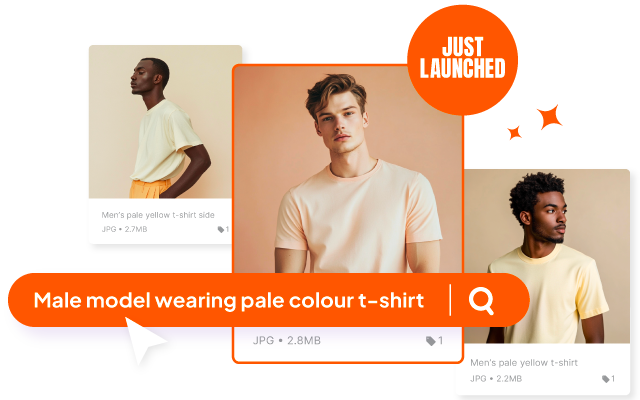
With AI search, turn your creative library into a search engine. Look for content how you think - like ‘man wearing t-shirt’ - and find it quicker.
Find your best content
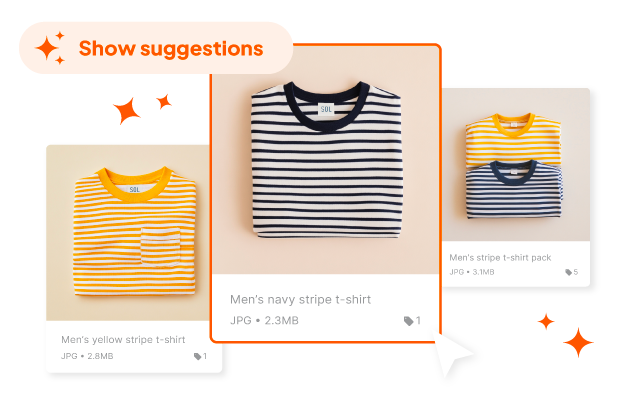
Your creative is on point. Find more like it with similar images. Click an image to see all similar creative across your Dash.
Let Dash tag creative for you
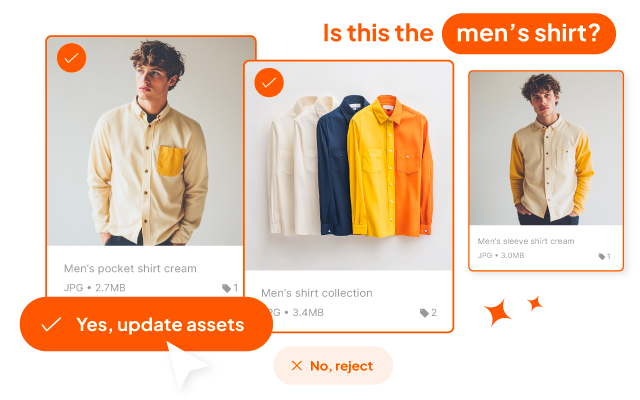
Tired of tagging photoshoots yourself? Train Dash with tagging habits - from product name to SKU - and let it help you out.
Collect your product creative together
First, upload the assets your retail partners need into Dash and tag them so they’re easy to find.


Collect your product creative together
First, upload the assets your retail partners need into Dash and tag them so they’re easy to find.
Collect your product creative together
First, upload the assets your retail partners need into Dash and tag them so they’re easy to find.
Marketers and creatives love Dash


"Dash finally gave us a way to move beyond the chaos of folders on Dropbox and WeTransfer."



"We’ve had an 80% reduction in design requests that were previously coming to me and my team."



"Dash is brilliant and it’s changed how I do a lot of my job ... I can spend time doing work that needs doing, less time finding things."

FAQs for our new DAM AI features
What do you mean by 'AI search'?
You can now use everyday language when searching for your creative on Dash. For example, if you type "smiling man at beach wearing tshirt", you'll get relevant results - even if those words aren’t in the asset’s metadata.
Why is smart tagging in beta?
This is the most complicated of our AI features, so we want to make sure it's as useful as it can be to ecommerce brands. We've taken the decision to keep this feature in beta now so we can gather feedback on it with a view to improving it later down the line.
How does smart tagging work?
Good question! Dash now trains an AI model using the values you've used to tag your existing images. The more data you have the smarter it gets, and the more specific it can be to your brand. Your privacy is important, so this model is updated daily and trained only on your own Dash account.
Where do I find suggested images?
Click on any asset in your Dash and scroll down - you'll see a load of creative that Dash has found similar to the one you're already viewing. This is super useful way to collect related content together and unearth images you might have forgotten about!