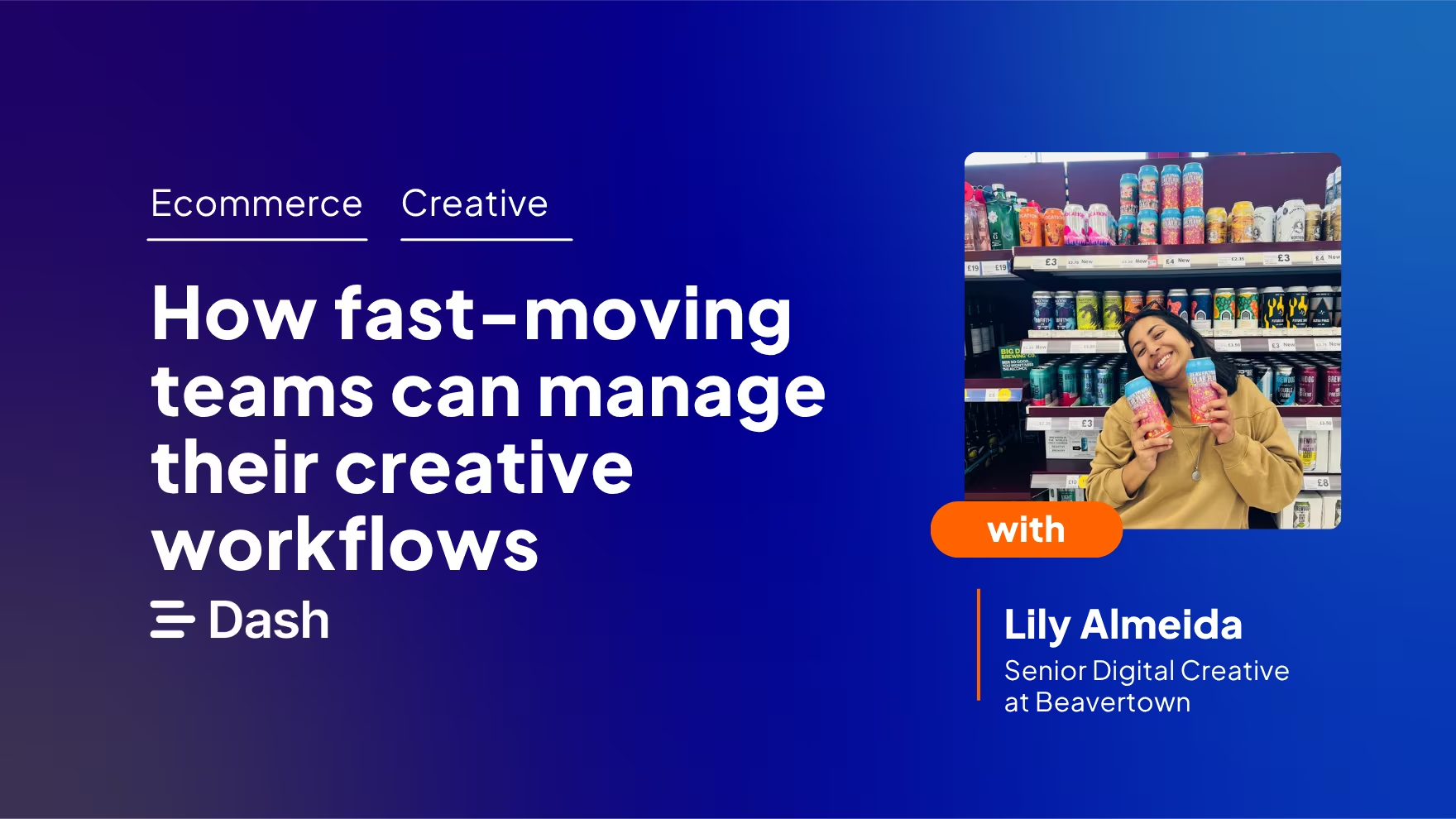
Most people look at Beavertown's brand and they see the skulls, planets and the intricate illustrations. They’d be forgiven for assuming there's a large team behind it. But there isn't.
I'm Lily, Senior Digital Creative at Beavertown, and let me tell you - our Creative Team is small. We handle everything from social assets and trade posters, to pub murals and packaging, all across a brand that has a super distinctive visual identity. No two days look the same, and the volume and variety of work is relentless.
So how does a small in-house team manage a constant stream of creative requests without becoming a bottleneck? For us, it comes down to having the right systems in place. Here's an honest look at how we keep creative work moving at Beavertown without losing what makes the brand distinctive.
.png)
Good creative workflows start with shared brand understanding
Before any creative workflow process begins, the team needs a shared understanding of the brand they're protecting. At Beavertown, I think of the brand like a tree. The trunk and roots are the foundation — the skulls, planets and outer-space-inspired world that makes Beavertown instantly recognisable. The branches are everything that grows from it: campaigns, collaborations, limited editions and one-off murals.
For a small creative team handling a high volume of requests, that foundation speeds up decision-making. If everyone understands what feels ‘on-brand,’ you spend less time second-guessing creative choices or debating small details.
The Creative Team’s job is to protect those core elements while still allowing the brand to evolve. That doesn’t come from rigidly following a style guide — it comes from knowing the brand well enough to immediately recognise when something feels slightly off.
That kind of instinct only develops through constant exposure to the brand’s history. I still regularly go back through Beavertown’s archive for inspiration, and some of the older assets are the most useful references we have. For a distinctive brand, your archive can be a creative tool that helps the team work faster and stay consistent at the same time.
But knowing your brand inside out is only half the battle.
7 tips for effective creative workflow management
Here’s how we keep our creative workflows moving at Beavertown.
1. Build a briefing system that removes guesswork
For us at Beavertown, every piece of creative starts with a brief in ClickUp. Anyone needing creative help fills in a form, it lands in our workspace, and we assign it to whoever is best placed (e.g digital, print or social).
The single most important thing is detail. In particular, knowing what dimensions are needed can save us so much time and hassle. We've genuinely had creative briefs that ask for ‘a long rectangle’ or ‘a small square.’ Even a rough Word doc mock-up tells us what someone is picturing, and that saves enormous amounts of back and forth.
2. Teach people how to brief properly
Once you’ve built your briefing system, you should be teaching your team. For a long time I was frustrated by the quality of briefs coming in. But the problem wasn't the people sending them, it was that I'd never actually sat down with anyone and explained what I find most useful. Once I did that, things improved dramatically.
Don't assume people know what you need from them. One honest session on what makes a brief work can transform what comes through the door, and removes friction before a project even starts. It's the kind of thing that feels like an extra job, but pays back every time.
3. Have a quick conversation before you start anything
Even the best brief leaves room for interpretation. Before diving in, I make a point of talking through what someone actually needs. It catches misunderstandings early, stops you working in silo, and usually saves at least one round of amends. Five minutes upfront is almost always worth it (it's just the step that gets skipped most when everyone's busy).
4. Put boundaries around feedback and amends
In a perfect world, we aim for two to three rounds of amends. It keeps feedback focused and stops projects from drifting indefinitely which, for a small team handling a high volume of work, matters a lot.
Sign-off is shared: the Creative Team owns the visual side, the brief creator owns the content. But in practice it's always a collaboration rather than a clean handover. If I'm unsure whether text looks better centred or left-aligned, or whether a button should be yellow or orange, I'll check with my Creative Team colleagues first. Next I’ll bring in the brief creator, because they'll have a better sense of what works for their audience.
Once both sides have signed off, no further changes are made. Without that boundary, projects never really end — and a small team gets eaten alive by tweaks.
5. Keep version control simple
Anyone dealing with creative operations knows version control can be a nightmare. There could be multiple versions of a design floating about, and nobody knows which one is good to use.
Our digital asset management tool, Dash, manages this for us. We can upload a new version of an asset to an existing file, so that people are only able to access the latest content. It saves us from creating entirely separate duplicates. Older versions are still accessible if we need to refer back to them, but everyone knows which version is the latest approved one.
6. Organise assets so people can self-serve
Finished assets go into our Dash. Getting this right has made a bigger difference to how the team operates than I expected.
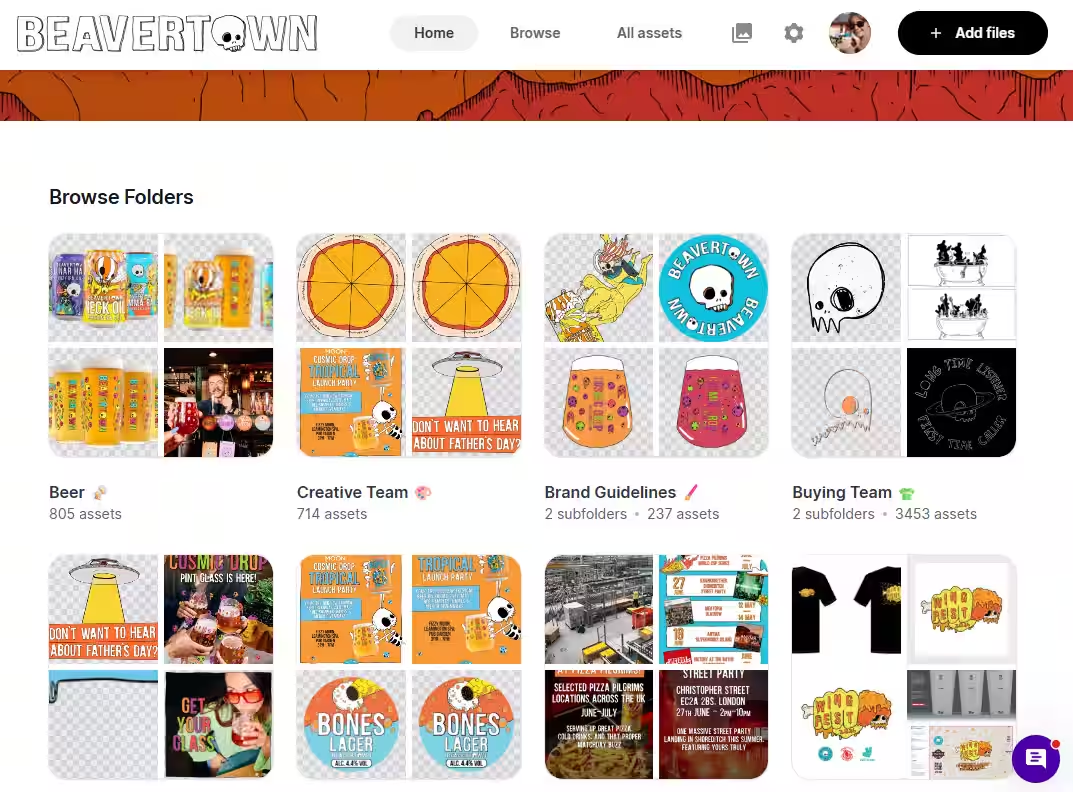
The process itself is straightforward. In Dash, finished assets get tagged and added to a folder dedicated to whichever team requested them — social, trade, paid media — so they're easy to find further down the line. We keep folder usage deliberately limited. Folders are only used for different teams, and only those teams have access to what's in their folder. It stops the whole thing from becoming a dumping ground where nothing is where you expect it to be.
Tagging is where most of the value lives, and it's something I've become pretty disciplined about. Before uploading anything, I ask myself: "if I were to search for this in Dash, what would the key words be?" — and I tag those words before the file goes anywhere. It sounds like a small habit, the more consistently you do it, the more useful the library becomes.
What’s more, we create self-serve portals for external teams, too. It means retailers and agencies always have the most up-to-date and approved Beavertown content, which helps us maintain brand consistency wherever we show up.
Learn how Beavertown's design team manage their creative workflows with Dash.
7. Regular training keeps the system useful
We've started running Dash workshops with internal teams every few months to make sure everyone knows how to use it properly. Because a well-organised library only works if people know how to search it. Once they do, it becomes genuinely self-serve. That independence across the wider business is invaluable.
Good workflow management help brands grow
The tips in this article aren't complicated, but in my experience, they're the things that make the biggest difference to how a small creative team actually functions day to day.
- A clear briefing process means less time guessing what people need.
- A disciplined approach to sign-off means projects actually finish.
- A well-organised asset library means the whole business can move faster, not just the Creative Team.
- And regular communication with anyone who touches the creative is what stops everything from falling through the cracks.
At Beavertown, no two days look the same. What keeps it manageable isn't having a big team, but having systems that work, and making sure everyone knows how to use them.
Creative workflow management for your team
Beavertown uses Dash to organise, manage, and share creative assets across their in-house team. If you're managing a growing brand with a small creative team, Dash's digital asset management software gives everyone a single place to find, organise, and share what they need — without it all landing on one person.
👉 Learn more about digital asset management for ecommerce brands.

Lily is the Senior Digital Creative at Beavertown Brewery. She has a huge passion for design and says it sparks so much creativity, allows her to use her imagination and allows her to put all the weird and wonderful ideas she has into the world.