Ecommerce sales move fast. But the same can’t always be said for your brand’s assets.
If you’re on an ecommerce sales team, you’re working closely with retailers, distributors and wholesalers. It’s your job to ensure external partners know your brand’s latest products and have everything they need to sell your products.
When your retailer asks you for assets, you need to get it to them fast. But if the latest images are sitting with marketing or design, you’re stuck waiting on their priorities, their inbox and their timelines.
You end up chasing your colleagues and it slows you down, creates bottlenecks for other teams, and makes it far too easy for outdated or off-brand content to slip into the wild. And most importantly, it makes it harder for your retail partners to actually sell you products.
A digital asset management (DAM) tool cuts through the chaos. It gives your sales team one place to find, grab, and share the right, approved assets without breaking anyone’s flow (including yours).
What is digital asset management for sales teams?
A digital asset management system is the single-source of truth for all of your brand’s assets. That’s your product images, brand guidelines, user-generated content, ad creative and video. It’s essentially all the visual content your team needs to market and sell your products.
For your sales team, a DAM is a space for you to save, organise and access the materials you need to sell your brand’s products. For example, you might be working with retail partners around the world and need to regularly share updates and the latest product shots so they can keep their stores updated. A DAM like Dash gives you portals, which allows retailers to self-serve their own assets.
Typically, a DAM is managed by the marketing, design or brand team. They'll be the ones collecting content from photographers, designers and agencies. They’ll use a DAM like Dash as a place to keep and deploy all the final and approved content. This is good news for sales teams, as you can be confident that anything you’re downloading from your DAM has been approved for use.
Why your current solution is slowing your down
From our experience, many brands start out by using free tools like Google Drive or WeTransfer to share and manage content.
The problem is that Google Drive isn’t built for storing and organising visual content. If your marketing team has saved the latest product shots with file names like ‘summer_campaign_shot_final_v2’ it becomes really hard to know which versions are the appropriate ones to use. Especially when the file next to it is titled ‘summer_campaign_shot_final_v2_use_this_one’. 😵💫
When it comes to WeTransfer, it’s really just a way to send big files. So you end up asking marketing for the latest product shots, downloading a hefty zip, picking out the right ones, then re-sending everything to your retail partners.
For partners, it’s a clunky experience, especially if the link expires before they’ve had a chance to download it.
The whole process is slow, and it can put unnecessary strain on relationships. And if the wrong file slips through—an unapproved product shot, an outdated pack image, an old logo—it can chip away at trust and can dilute your brand integrity in the process.
7 ways DAM helps sales teams move faster
For your sales team, tools like Google Drive and WeTransfer start to creak as your partner network grows. They weren’t built for managing brand assets at scale — especially when you’re working with multiple retailers and distributors.
So what does a DAM actually do differently for a sales team?
Let’s get into it.
1. Brand-approved creative all in one place
One of the biggest blockers for sales teams is finding the right content - and knowing that content is good to use. A tool like Dash is designed to remove that frustration. It’s primarily designed for marketing and brand teams who need to provide the rest of the business (including your team) with a single-source of truth for all your brand’s assets. That means you can be absolutely certain that anything within Dash has been brand-approved and is suitable to send to your retailers and distributors. No more waiting a few days to get permission from your brand manager to use a specific asset.
2. Search for content fast
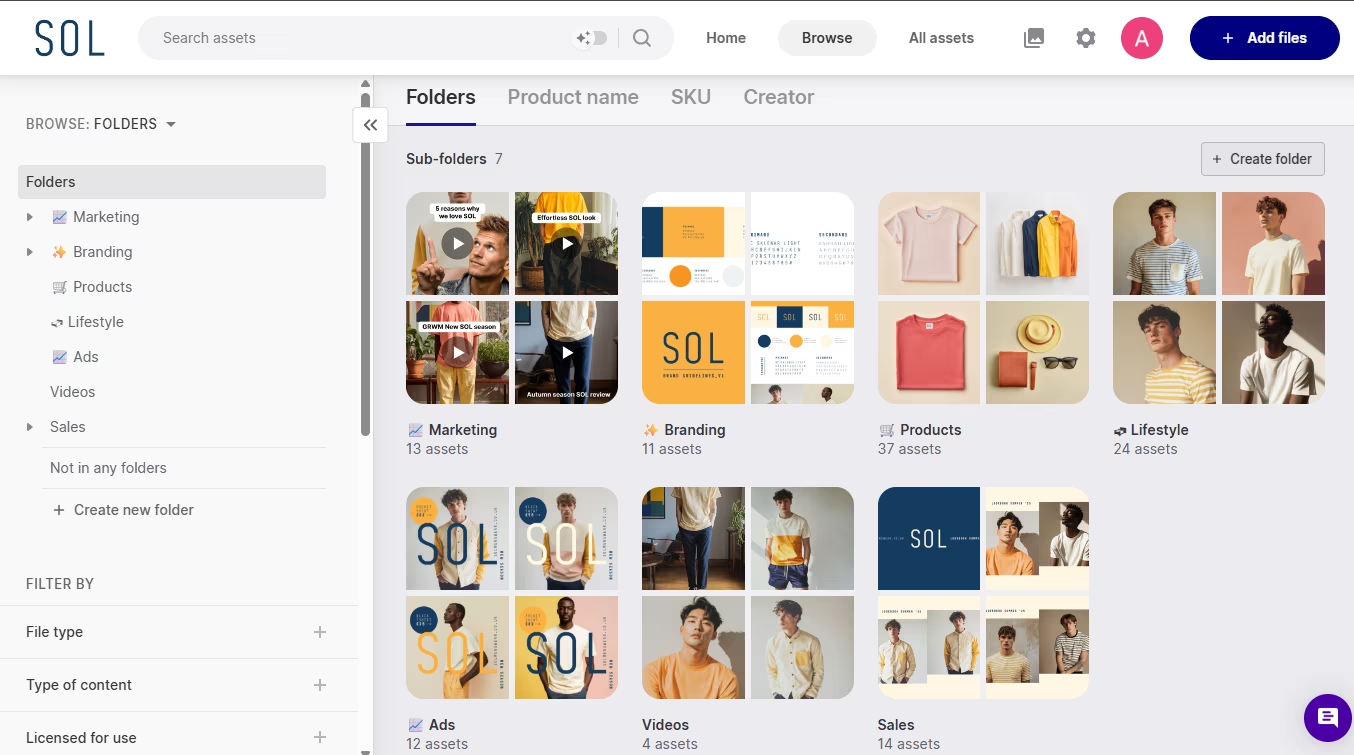
When your content lives in Dash, it’s easy to find fast. While your marketing team will usually be the ones organising and tagging assets, your sales team can use keyword search and filters to find exactly what they need. Just type something in like “yellow jumper” and Dash will pull up the relevant files straight away.
And if an asset hasn’t been tagged yet, you can toggle on AI Search to help you track it down.
3. Organise content in a way that works for you
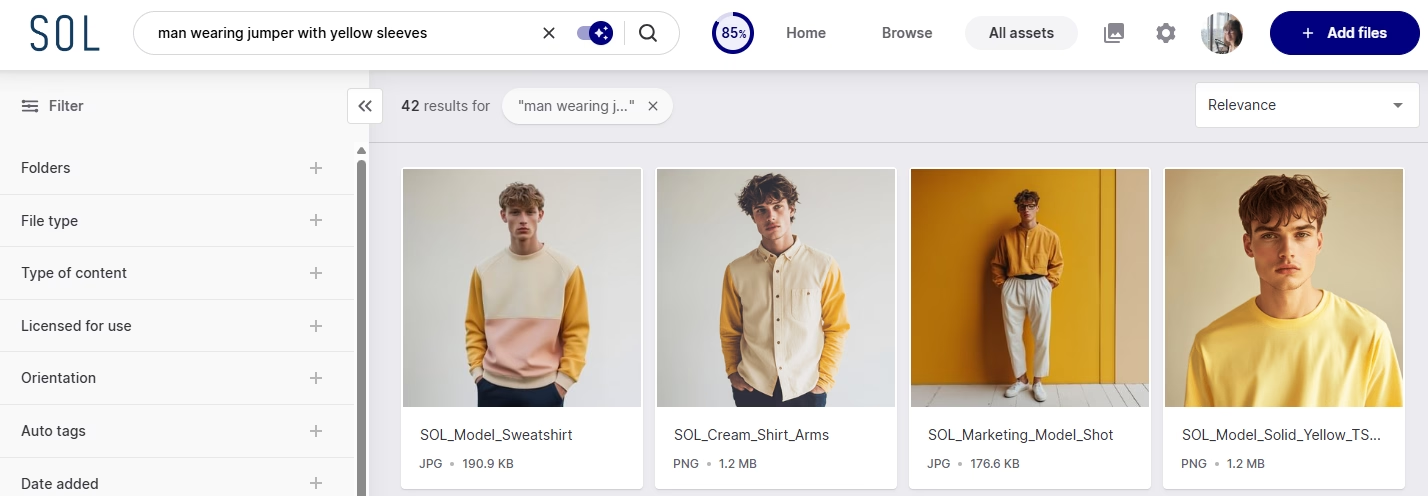
When you log into your DAM, you’ll probably see a structure that’s been built around marketing. For example, campaign folders, product launches, seasonal shoots, social content, and so on.
But your sales teams might want a slightly different setup. You want quick access to the assets you use every day — partner-ready product imagery, line sheets, lookbooks, pricing, decks, retailer guidelines, logos… the stuff you’re constantly sending out.
That’s where Dash makes life easier. You can create your own sales-specific area inside the DAM, with folders that match how you work, without messing with marketing’s structure.
👉 The key thing: Dash doesn’t duplicate content. So the same product image can live in a marketing folder and your sales folder at the same time, without creating multiple versions. That means you get a clean, dedicated space for sales, while marketing still keeps their master library intact.
4. Better sales pitches to new retailers
One of your key responsibilities in sales is finding and winning new retail partners and stockists. A big part of that is pitching your brand in a way that’s clear, compelling, and easy to say yes to.
That’s much simpler when you can pull together the right assets quickly: strong product imagery, a current line sheet, pricing, your brand story deck, and a few lifestyle shots that show how the range should be merchandised.
With Dash, you can package all of that up using collections. Think of them like a neat, shareable bundle of assets you can build in minutes. Create a collection for ‘New retailer pitch’, drop in the key files, and share a single link, instead of scrambling through folders and attaching things one by one.
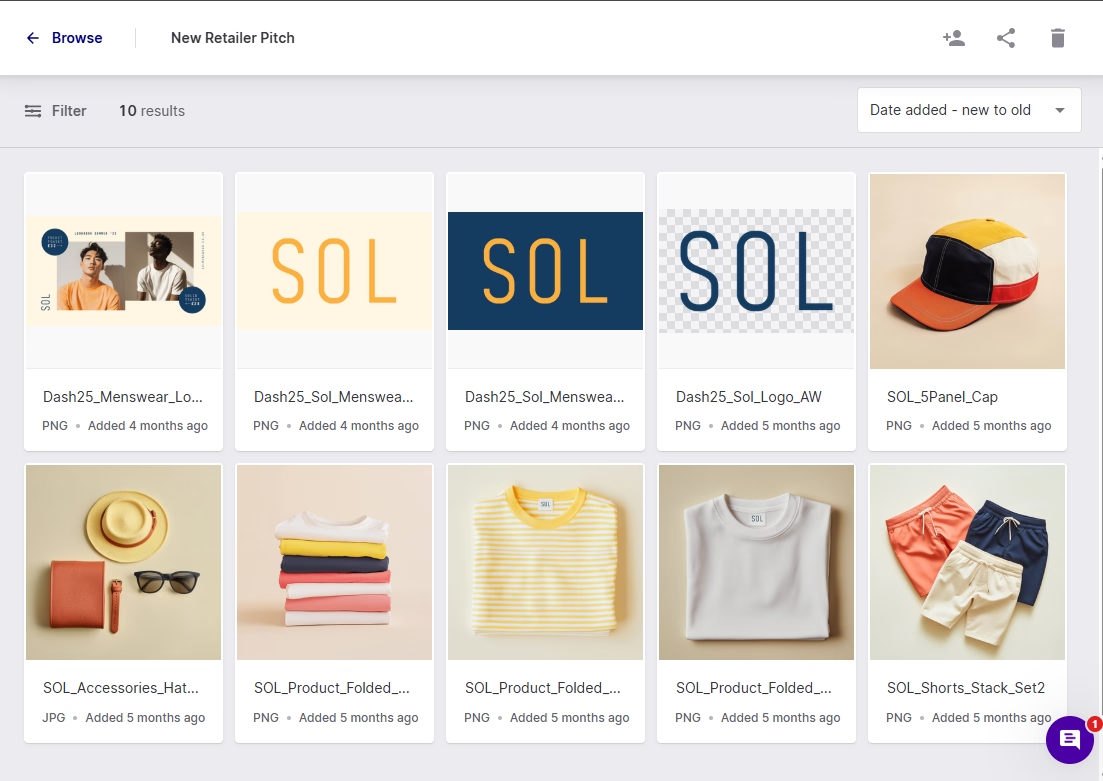
It keeps your pitch consistent, looks more professional to the retailer, and makes it easy to reuse and update over time (without rebuilding everything from scratch).
5. Retailers can self-serve your product assets
When you’re working with retailers, keeping them up to date is just as important as bringing them on board. That might include new product releases, seasonal collections and updated specs. If partners don’t have the latest assets, they can’t sell your products properly.
This is where branded portals in Dash really shine.
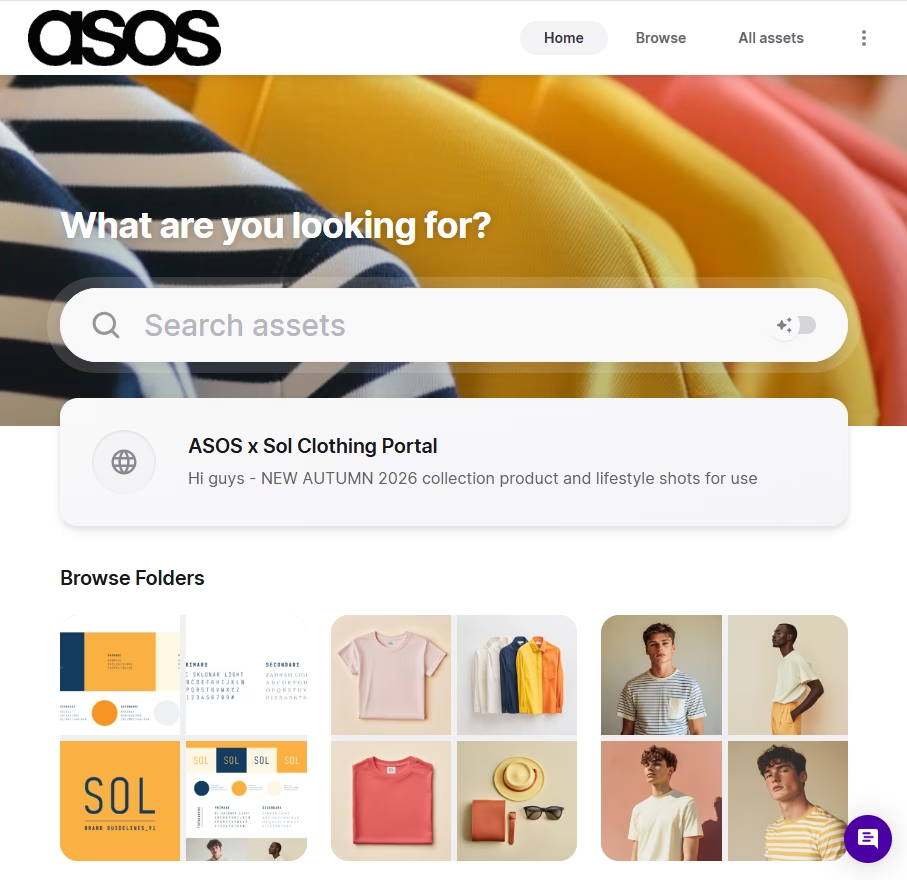
Instead of clunky .zip files via WeTransfer, you can give each retailer or distributor access to a customised, public-facing portal built just for them. These portals act like curated brand hubs: you choose which folders and assets to include, add messaging and guidelines, and control download settings—so partners only see what’s relevant to their business.
For example, you might set up portals for:
- Seasonal launches: with all product imagery, lifestyle shots and pricing sheets
- Retailer-specific assortments: tailored to their assortment or region
- Distributor libraries: with line sheets and campaign content they can share with their own networks
Because the portal always links back to your central DAM library, partners are automatically accessing the latest approved content and there’s no need for you to re-send files every time something changes. And because you can customise each portal with logos and brand colours, you can make your retailers feel like true VIPs.
👉 Check out how BrewDog use portals to share relevant product information and assets with bars and stockists around the world.
6. Access assets on the go
Sales doesn’t always happen at your desk. One minute you’re in a meeting with a retailer, the next you’re on a call with a distributor, and somewhere in between someone asks for product imagery, a line sheet, or the latest pricing.
With a DAM like Dash, you’re not relying on whatever happens to be saved on your laptop (or waiting until you’re back online to dig it out). Because everything lives in one cloud-based library, you can pull up approved assets wherever you are and share them in the moment.
7. See what partners are actually using with portal analytics
When you send assets to retailers or distributors, it’s usually a bit of a black box. You share a link… and that’s where visibility ends. You don’t know what’s been downloaded, what’s being used, or which products are getting the most attention.
With Dash’s portal analytics, that changes.
You can see which assets partners are viewing and downloading, and how often. That insight helps sales teams understand what’s resonating, which products retailers are most interested in, and where you might need to follow up or provide extra support.
It also makes conversations more informed. Instead of guessing, you can spot trends early, prioritise the right partners, and have smarter discussions based on real data.
👉 You can read up on how Mountain Equipment uses analytics to cut unnecessary content creation costs.
How to make the case for a DAM
If your marketing team doesn’t already use a DAM, suggesting a new tool can feel like a big ask. But framing it as a sales problem that impacts marketing usually helps the conversation land.
Start with the bottlenecks. As a sales team, you’re constantly asking for assets — product imagery, pricing sheets, decks, updated visuals for retailers. That creates interruptions for marketing and slows you down at the same time. A DAM removes that friction by giving sales self-serve access to approved content, without taking control away from marketing.
It’s also worth emphasising brand protection. Marketing teams care deeply about consistency, and a DAM gives them a single source of truth. They stay in charge of what’s approved, what’s live, and what’s shared externally — while reducing the risk of outdated or off-brand assets slipping out through email or shared drives.
Finally, talk about scale. As your retail and distributor network grows, the volume of asset requests only increases. A DAM makes that growth manageable. Marketing uploads content once and sales and partners access it as needed.
Positioned this way, a DAM isn’t just another tool. Instead it’s a shared system that helps both sales and marketing move faster, stay aligned, and support partners more effectively.
Here’s some reading to send over to your teams:
- Why ecommerce brands needs marketing asset management to grow
- A slidedeck for pitching Dash to your team
- A downloadable DAM comparison worksheet to help you find the best tool for your team
If you want to try Dash for yourself, you can sign up for a 14-day free trial, or book a demo with a member of our team.

Amy Burchill is the SEO and Content Manager for Dash. She works with ecommerce experts to create articles for DTC brands wanting to improve their campaigns.