The Dropbox alternative for scaling D2C brands.
Still digging through Dropbox for product shots? Dash makes your images and videos easy to find, share and use.
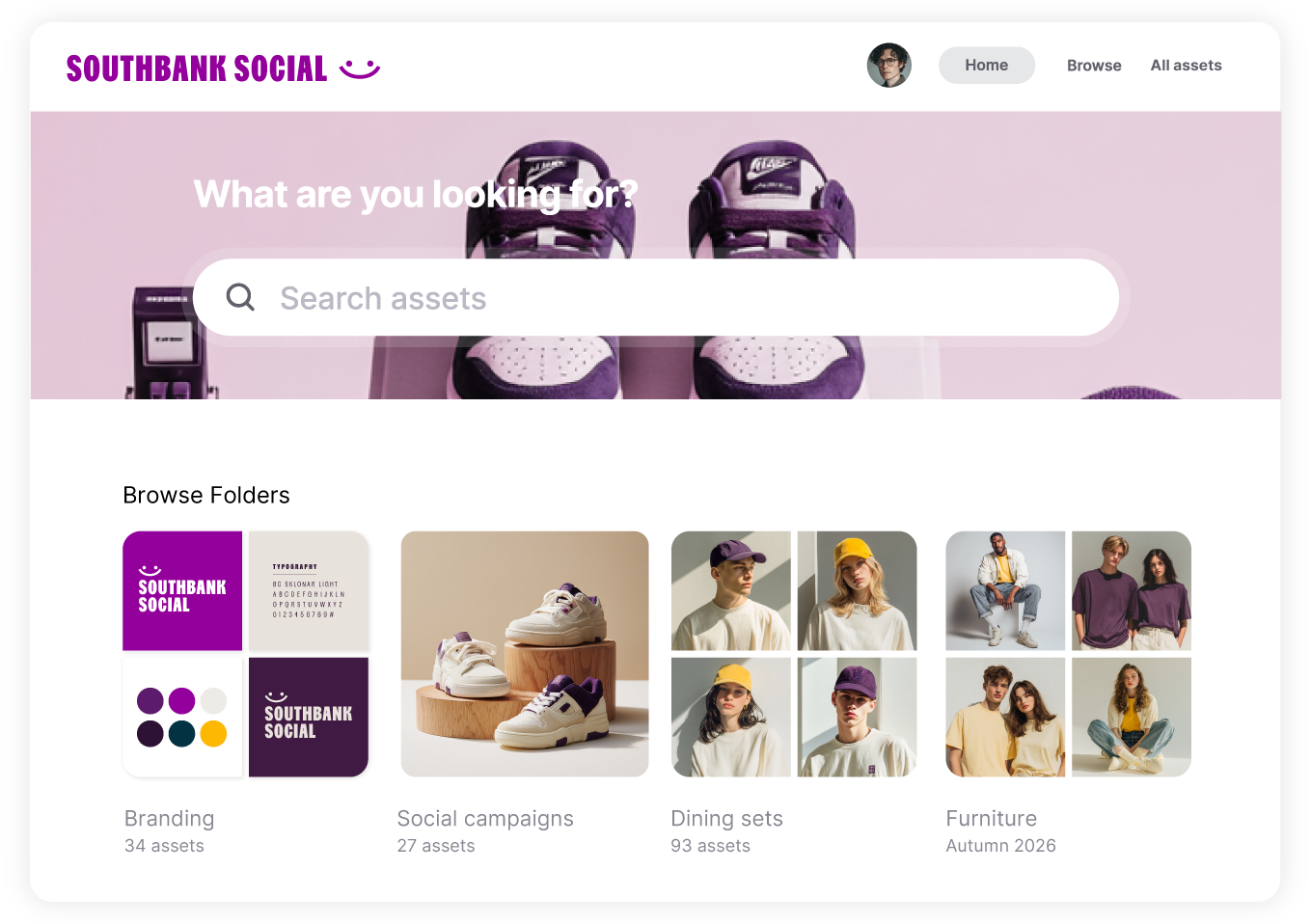


Hang on. What’s a DAM?
A digital asset management (DAM) tool keeps your product photos, videos and logos organised and ready to use. Need a packshot for a stockist or a crop for Instagram? Find it, prep it and share it in Dash. No ‘can you send me that file?’ required.
Find the shot. Even if you didn’t name it.
Can’t remember the filename? Search ‘green backpack on a beach’ and let Dash’s AI find the shot. Or filter by SKU, product range or campaign to find exactly what you’re after.
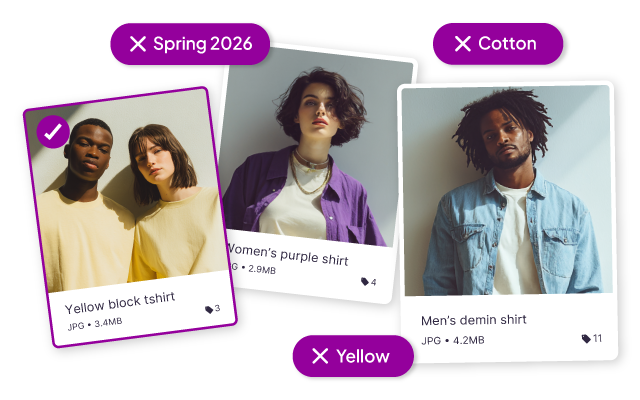

You weren’t hired to resend JPEGs.
Give retailers, agencies and press a branded portal to grab the images they need. You choose what’s available. They help themselves.
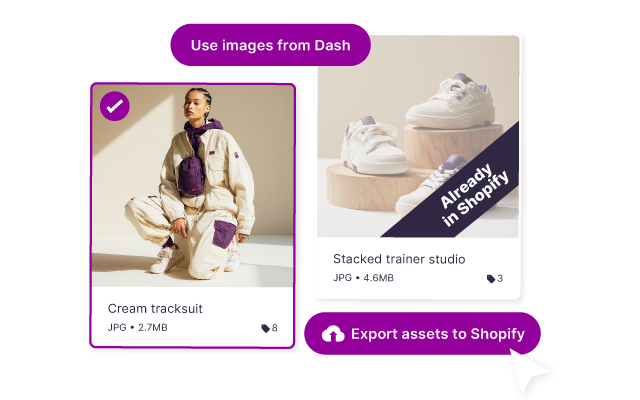
Get the product shot onto the product page.
Crop for social, send product shots to Shopify in bulk and pull images straight into Canva or Hootsuite. No more downloading just to upload again.
Dash vs. Dropbox Business comparison
From £79 / $109 a month
AI search, branded portals and ecommerce integrations included
Every feature and unlimited users on every plan
Free migration and onboarding support
Dropbox
Free and paid plans; team plans charge per user
For storing, syncing and sharing general files across devices
Storage, features and recovery periods depend on your plan
Access to 24/7 support on more expensive plans

Marketers and brand teams love Dash


"If you have a lot of assets and you’re feeling overwhelmed about where to start organising them, then Dash is for you!"


"We've significantly shortened the time we spend uploading and preparing content for use."


“Our team and our customers absolutely love Dash ... It’s so easy to use and we no longer have to rely on Dropbox to share our content.”

Dropbox vs. Dash FAQs
Is Dash a replacement for Dropbox?
For your brand’s images and videos, it can be. If Dropbox also holds documents, invoices, contracts or other day to day business files, you can keep those there. You don’t have to move the whole company to get your creative into Dash. Many Dash customers use Dash for creative and Dropbox for file storage.
How do I know we’re ready for a DAM?
When finding and sending creative keeps interrupting the rest of your work. If launches wait on someone to locate images, or retailers keep asking for files you’ve already shared, try a DAM with a real campaign. Asset count isn’t the only thing that matters.
Can I import our Dropbox folders?
Yes. Connect to Dropbox from Dash, choose files or whole folders and copy them across. You can keep your existing folder structure. Your originals stay in Dropbox, so you can try Dash with a batch of content before moving more.
Is Dash the same as Dropbox Dash?
No, although it's confusing isn't it?! Dash is our digital asset management tool for scaling ecommerce brands. Dropbox Dash launched a few years ago and is a separate Dropbox product for AI-powered search and knowledge management tool.
Is Dropbox a digital asset management system?
Dropbox isn't a digital asset management system. It's primarily for file storage, syncing and sharing. It has useful tools for images, including previews, image search on eligible plans and basic editing. Dash brings visual organisation, retailer portals, image preparation and ecommerce integrations together for teams working with brand assets every day.
What does Dash cost?
Pricing plans start at £79 / $109 a month, with every feature and unlimited users included. Your plan depends on storage and downloads. AI search, portals and integrations are available at every price point.
Why is Dash more expensive than Dropbox?
Dropbox is for basic file storage, syncing and sharing. It's not a full-feature digital asset management system like Dash, where you can search across thousands of assets, deploy them to your marketing channels, share them with your retailers... and more!
Can I try Dash for free before committing?
Start a free 14 day trial, with no credit card needed. Bring a batch of product images and invite your team. Find a shot, prepare it for a channel and share it with someone who needs it. You’ll soon see whether it fits how you work.