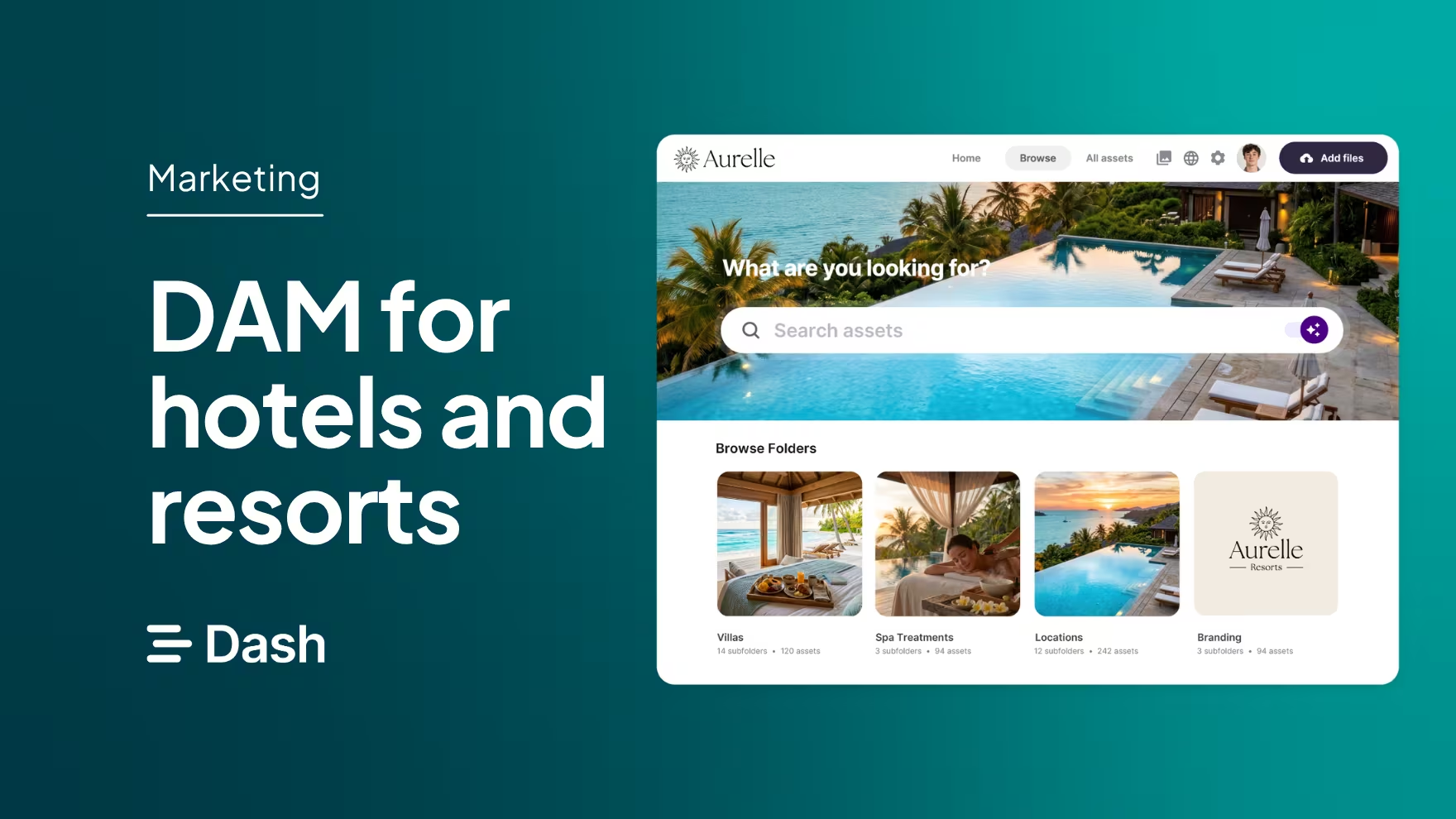
If you’re a marketer at a hotel group or resort, think about where your photography and brand content lives right now. Some of it is probably on a shared drive. Some are still in your photographer’s gallery. Influencer content is sitting in someone’s inbox. And the photos your booking sites are using are whatever each hotel sent them a few years ago.
That’s a very common setup, and it causes the same problems again and again. Your team spends hours looking for images. Press and sales requests take longer than they should. And guests judge your property on photos you’d rather they didn’t see.
A digital asset management (DAM) tool gives you one library for all your imagery, and an easy way to get it to the people who need it. Here’s how it works for hotel groups and resort collections, and what to look for when choosing one.
What is digital asset management for hotels and resorts?
A digital asset management (DAM) tool gives your whole collection one library for all its imagery and branding, and an easy way to get it to the people who need it, whether that’s the team at each property or your partners.
.avif)
If your imagery is currently SharePoint, Google Drive or Dropbox, you're not alone. Those tools are good at storing files, but they’re not built for managing visual content.
A DAM is designed for working with images: finding them, sharing them and collecting new ones in.
The problem with using Google Drive or Dropbox for hotel imagery
Most hotels groups and collections start out storing their imagery in Google Drive, Dropbox or a shared server. That’s fine when you have one property and a few shoots’ worth of photos. But as you add properties and your library grows, it starts to fall apart.
- Searching is slow: SharePoint, Drive and Dropbox organise files in folders, so you probably have stacks of them for different properties, shoots and campaigns. On top of that, you can only search by file name. Unless you know exactly what an image is called or where it’s saved, you end up trawling through hundreds of photos to find the one you need.
- Only one person knows where anything is: Your folder structure makes sense to whoever set it up. If that person is you, you’re likely fielding requests from different teams who can’t find the imagery they need. This eats into your time, when you could be running campaigns for the business. Plus, if you work with a hotel collection from one head-office, it can be hard to keep track of which property you’ve sent content to.
- Old images stay in circulation: When nobody can find anything, and there’s no brand management in Drive or SharePoint, there's no clear line between what’s been approved and which is the most up-to-date photography. Pre-renovation room shots get used in brochures, and booking sites keep showing whatever you last sent them.
- You become a bottleneck for your external partners: Every press request, advisor request and agency brief means finding images, sending a link and remembering to send it again when the photography changes. If you’re using WeTransfer for this, it's likely your external teams will come chasing when the link expires. It’s also hard to keep track of who has received what.
- No visibility on usage rights: Shared drives store files, but they don't tell you who took a photo or where it's allowed to be used. That makes it easy to put a website-only image in a print ad, or keep using influencer content after the contract has ended.
7 ways hotels and resorts benefit from a DAM
Here's what changes when your hotel's imagery moves into a DAM like Dash.
1. Find any shot of any space, at any property, fast
Hotels have a lot of spaces to photograph: every room type, the restaurants and bars, the spa, the pool, meeting rooms and wedding venues. Multiply that by every property, every season and every shoot, and that’s a lot of images.
In a DAM, you don't need to remember file names. In Dash, every image you upload is scanned and given auto-tags, like pool, sunset, loungers or bedroom, sea view, balcony.
And if something hasn't been tagged? Dash uses AI to understand what's in each image, so you can type a longer phrase like ‘garden suite terrace at sunset with no people’ and find it.
You can also add your own custom fields, like property, room type, venue or season, so your team can filter the library the way they think about the hotel.
2. Keep one approved version of your property
Your imagery is often a guest's first impression of your property. So it matters that everyone is using the right photos.
With a DAM, there's one library of approved imagery that your whole team works from. After a refurbishment or a new shoot, you archive the old images so they stop turning up in brochures, campaigns and social posts. And when you upload a new version of something, like your logo, Dash lets your team know it's changed.
3. Give booking sites, travel advisors and partners a self-serve portal
Booking sites, travel advisors, tour operators and tourism boards all need your imagery. The trouble is, they'll use whatever you last sent them, which is how old room shots end up online for years.
Dash portals solve this.
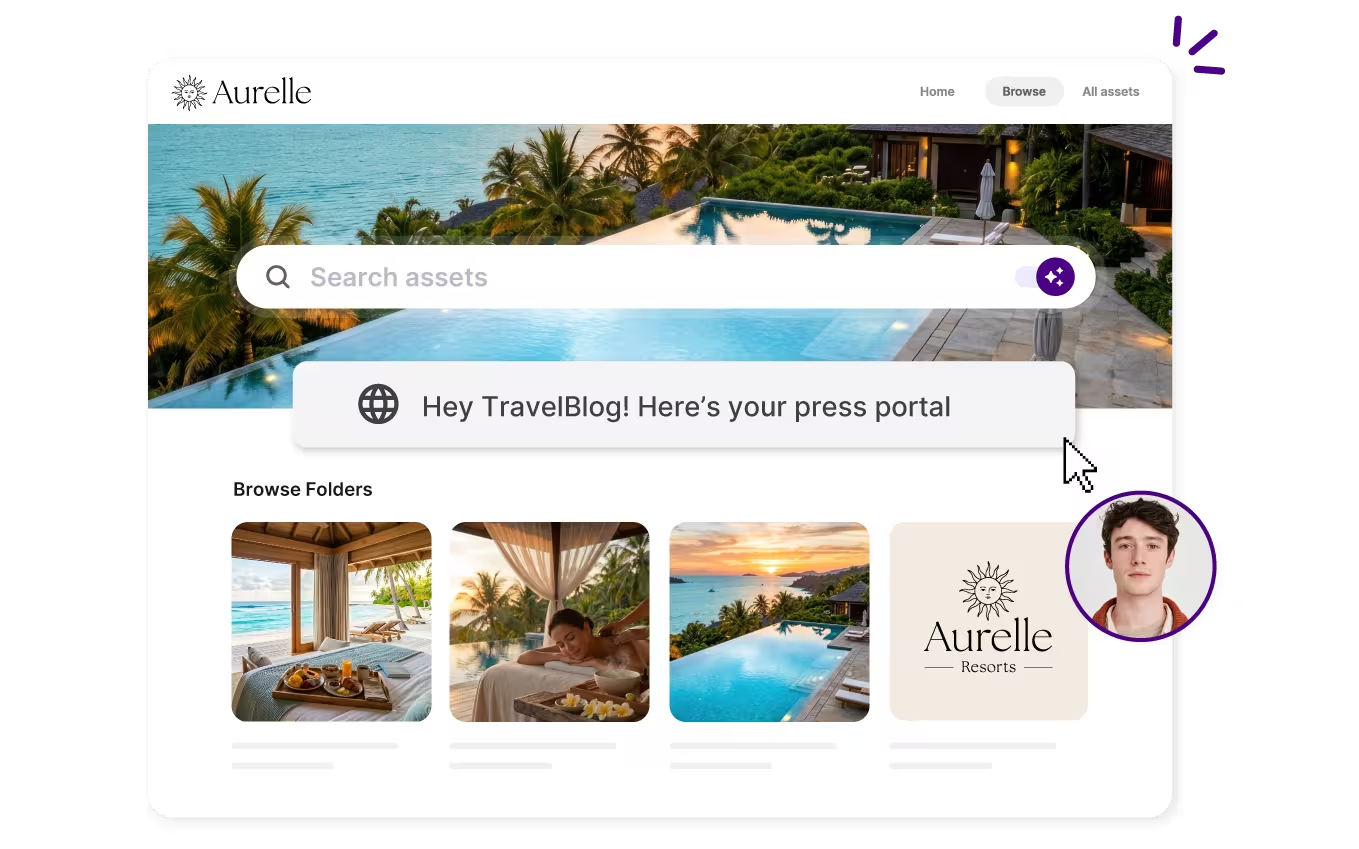
Portals are publicly accessible versions of your Dash library. You can create as many as you need, one for each property or each type of partner, and choose exactly which images each one sees. Because portals pull from your folders, they update automatically whenever you add new content. So when you refresh a property’s photography, every partner gets the new images without you sending a single email.
4. Answer press requests in minutes
When a journalist is writing about one of your hotels, they usually need high-res images fast. If finding, checking and sending them takes half a day, that opportunity can easily go to someone else.
In Dash, you can keep a ready-made press collection of your best, approved images, and share it with a single link. You can also add a press portal to your website, so journalists can help themselves.
Luxury travel company Cookson Adventures uses Dash collections to share imagery with journalists, including for features in the Financial Times and BOAT International. As Head of Marketing Simon Langley says:
"We didn't actually set out to use Dash for sending media to journalists as well. However, the collections function was perfect for external sharing."
5. Collect content from photographers and influencers
You're probably working with photographers, videographers and influencers to create content for your hotel. Their files tend to arrive by WeTransfer, Google Drive, email and Instagram DMs, and some never make it into your library.
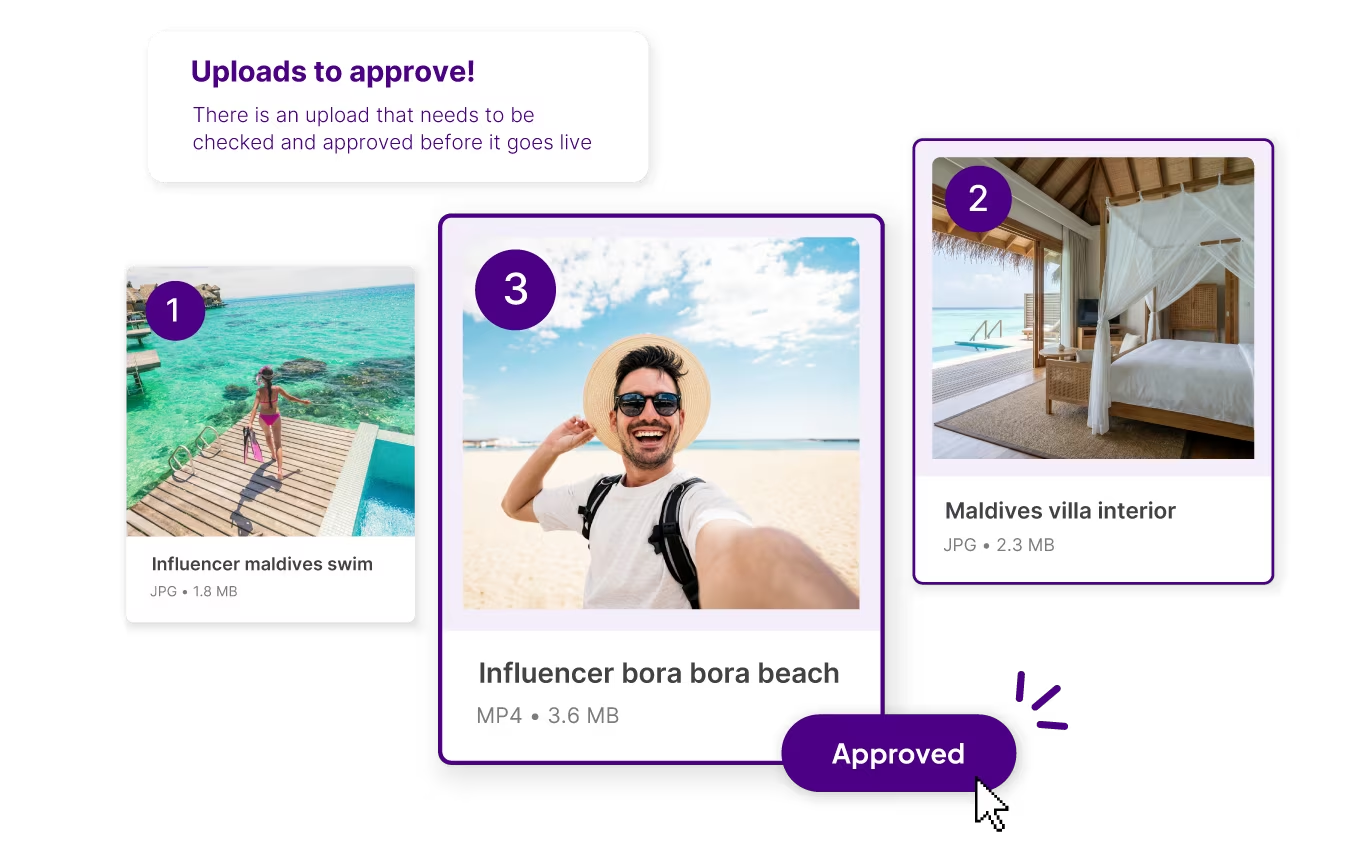
With Dash, you can send them a guest upload link instead, and they don't need to log in to use it. You choose which folder their content lands in, then send the link before the shoot or stay. When files come in, you approve them, reject them or leave feedback. Approved content goes straight into the right folder, so nobody has to download and refile it.
6. Manage usage rights and expiry dates
Photographers' licences and influencer agreements often limit where an image can be used, and for how long. If that information lives in an email thread, it's easy to use an image somewhere you shouldn't.
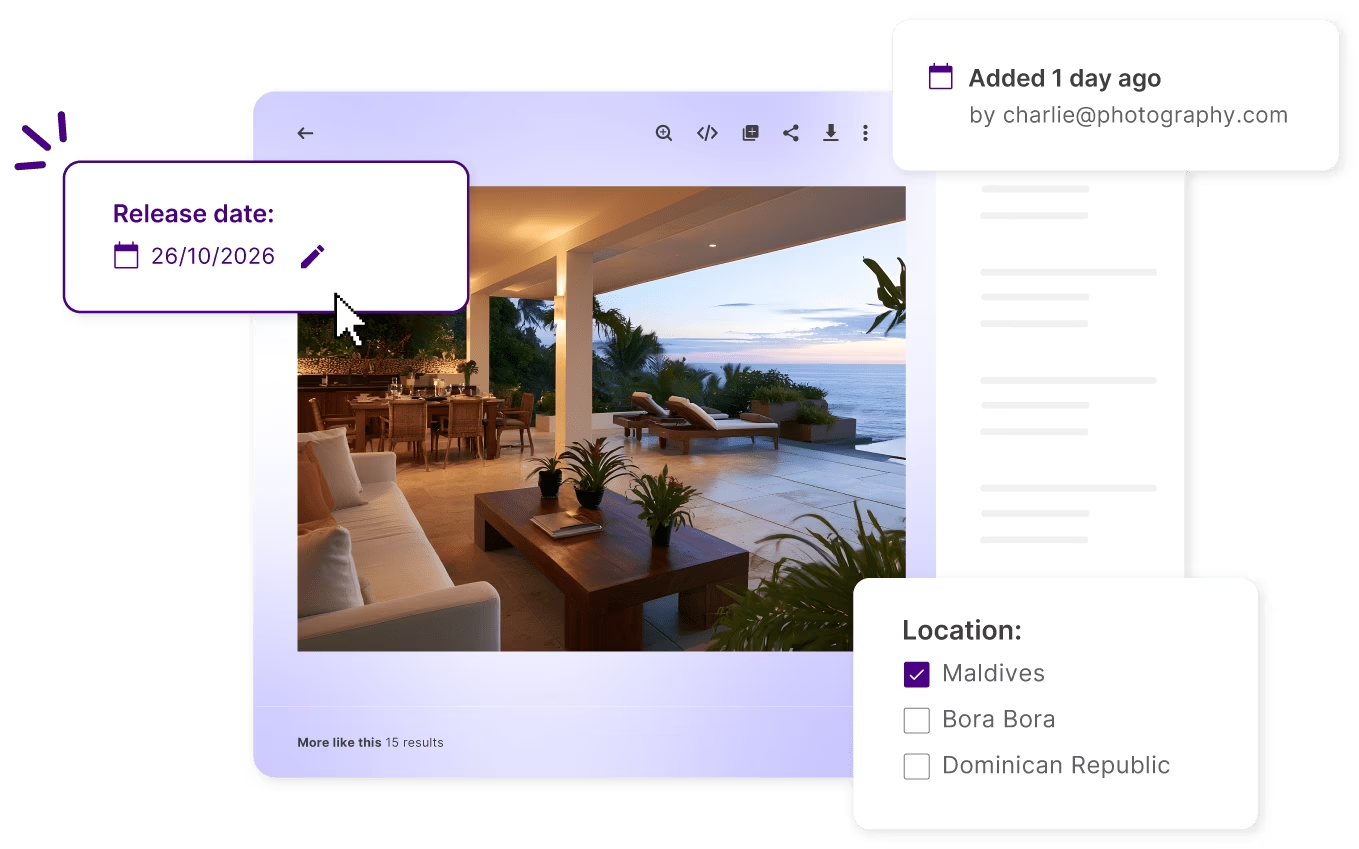
In Dash, you can add custom fields like photographer, usage rights and expiry date to each image. When an image reaches its expiry date, anyone who tries to download it gets a warning.
7. Resize imagery for every channel
The same shot of your infinity pool might need to be a wide website banner, a square Instagram post, a vertical story and a specific size for a booking site, all in the same week. If every version means a request to your designer, simple updates end up waiting in a queue.
Dash's built-in cropping and resizing tools let anyone on your team create the right version for each channel in seconds, using preset sizes. You can also send images straight to your social scheduler with our Hootsuite integration, or use them in Canva without downloading and re-uploading.
What to look for in a DAM for hotels
By now you’ll know what a DAM can do. When it comes to choosing one, these are the things that make the difference between a tool your team uses every day and one that gets forgotten.
Will your team actually use it?
A DAM is only useful if people use it. Look for something simple enough that your sales and PR teams can pick it up without training. Dash is rated highest for ease of use on G2.
How quickly can you get started?
Moving years of imagery sounds daunting. Dash includes free migration and onboarding, so our team handles the heavy lifting and you can be up and running in days. You can also sync up your Google Drive or Dropbox account and copy everything over to Dash, easy!
Is the pricing simple?
Check what’s included and what costs extra. With Dash, every plan includes every feature and unlimited users, so you won’t get a surprise bill when you add your agency or a new team member. Plans start from £79/$109 a month.
Can it grow with you?
Your library will keep growing with every shoot and season. Dash plans range from 10GB to 50TB, so you can move up as you need more space.
What’s the support like?
When you have a question, you want a quick answer from someone who knows the product. Dash’s team is on hand via in-app chat.
What's the best DAM for hotels and resorts?
For most independent hotels and resorts, the best DAM is the one your team will actually use. That means quick to set up, easy to search and simple to share from.
Dash is built for exactly that. It brings AI search, partner portals, guest uploads and usage rights together in one library, with unlimited users on every plan. And our team will help you move your existing imagery across for free.
Travel brands like Cookson Adventures, Soneva and JOALI use Dash to share content and share assets with their partners.
Want to see how Dash would work for your property? Book a demo with our team, and we'll show you how it could look with your own imagery.

Amy Burchill is the SEO and Content Manager for Dash. She works with ecommerce experts to create articles for DTC brands wanting to improve their campaigns.