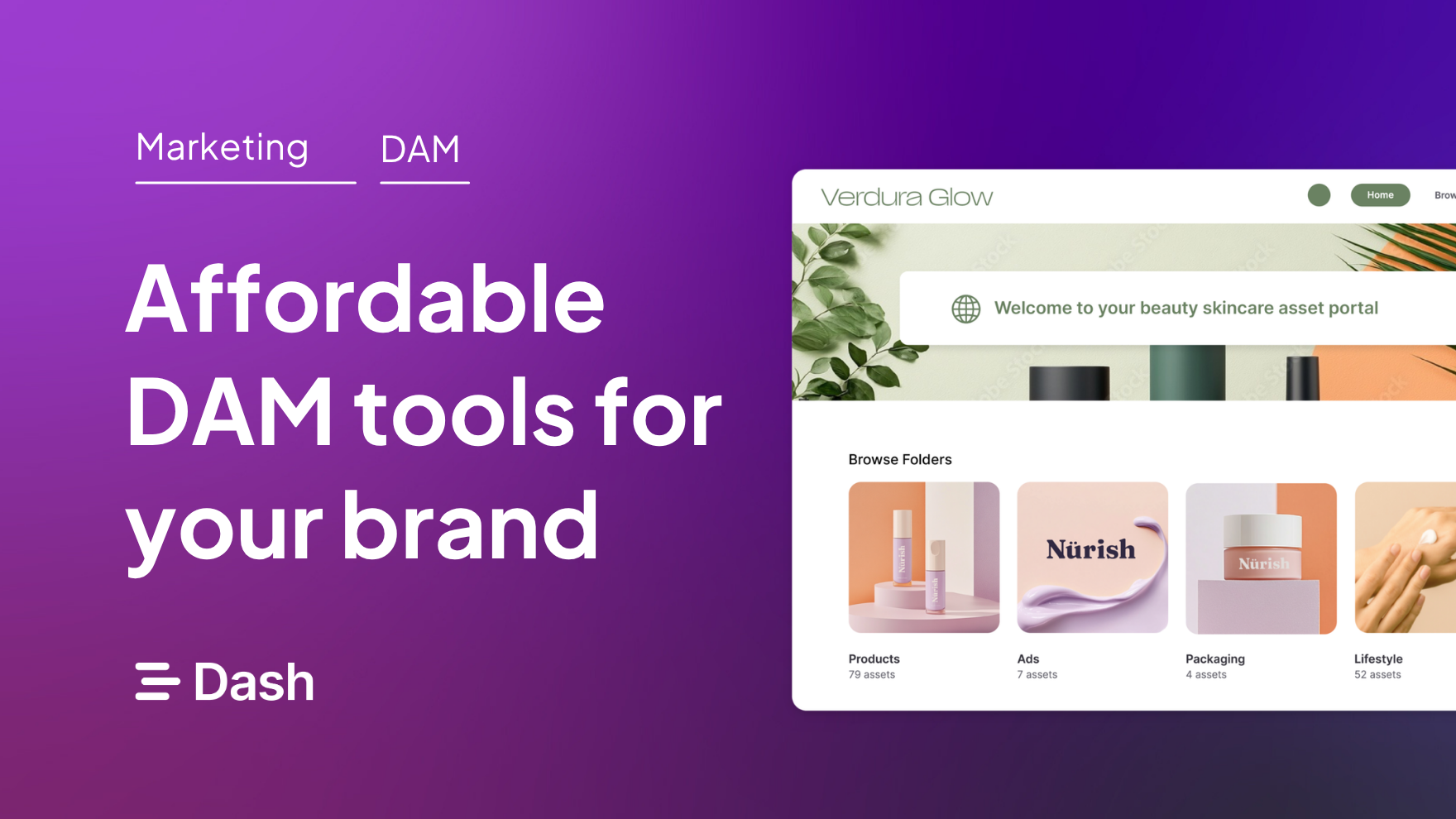
If you’re looking for an affordable digital asset management (DAM) software to replace Google Drive, Dropbox (or your current DAM solution) you’re in the right place.
For a long time, DAM software has had a reputation for being expensive, complex, and built for enterprise teams with huge asset libraries, long procurement cycles, and six-month implementation plans.
But affordable DAM tools do exist. And by ‘affordable,’ I don’t just mean the cheapest option on the market. I mean digital asset management software that gives ecommerce teams the core features they actually need — asset organisation, search, sharing, permissions, version control, and brand control — without enterprise-level pricing or complexity.
In this guide, I’ll walk through five affordable DAM systems for ecommerce brands, what each one is best for, and how to choose the right option based on your asset volume, workflows, team size, and budget.
{{dam-comparison="/blog-components"}}
What does ‘affordable’ actually mean in DAM?
Affordable digital asset management software means the best-value digital asset management system for your current stage of growth, and not necessarily the cheapest tool on the market.
As a rough benchmark, affordable DAM pricing can start anywhere from $25 to $300 per month. But, of course, affordability also depends on your team size, asset volume, storage needs, approval workflows, integrations, and how much setup or support you’ll need to get value from the tool.
This is important because DAM pricing can be misleading if you only look at the monthly cost. A tool that seems expensive at first may help your team ship product assets much faster, while a cheaper option can become costly when you have to pay for implementation separately or hire technical support.
So, when thinking about digital asset management affordability, consider:
- Pricing structure: A DAM that seems cheap upfront can become much more expensive once you factor in the full cost of using it properly. For example, some DAMs have a free or cheap plan but lock the features you actually need behind higher-tier plans or charge extra for implementation or support.
- Speed of implementation: Affordability isn’t just about the monthly subscription fee. As a growing ecommerce business, you can’t always afford a long onboarding process that slows down product launches, campaign updates, or content publishing. A DAM that’s easy to set up and quick for your team to adopt may offer better value than a cheaper tool that takes weeks to set up and learn.
- How well it fits your ecommerce stack: For example, a DAM that costs less per month might seem like the more affordable choice. But if it doesn’t connect with Shopify, your team may still have to download product images from the DAM, resize them manually, rename the files, upload them to Shopify, and repeat that process every time a product page or campaign changes. That extra admin time adds up quickly.
Overall, don’t write off a DAM tool just because it seems too expensive. The most affordable DAM software for your ecommerce business is one that fits your workflow, helps your team move faster, and gives you enough value to justify the cost.
What should ecommerce businesses look for in an affordable DAM software?
These features should be at the top of your list when shopping for an affordable digital asset management system tool.
[fs-toc-omit] 1. Easy visual asset organisation
A DAM that makes it as easy as possible to organise your assets will save you lots of time, especially when your content library is growing fast.
For example, let’s say you’re planning a product campaign and receive hundreds of photos from your freelance photographer. With the right DAM, you’ll be able to make sense of that batch quickly — grouping related images, adding useful tags, and making the right files easy to find later without a ton of manual work.
[fs-toc-omit] What to look for
- Auto-tagging: Automatically scans and adds searchable keywords to uploaded assets so your team can find them faster.
- AI search: Lets you search in natural language, so your team can find assets the way they think instead of relying on exact file names.
- Similar images: Helps you quickly find related assets from the same product shoot, campaign, collection, or visual style.
[fs-toc-omit] 2. Fast sharing
Ecommerce assets rarely stay in one place. At different points, you’ll need to send product shots, brand guidelines, etc., to a freelancer, agency or retail partner. The right DAM should help you share those assets quickly and securely — so everyone enjoys a smooth collaboration experience.
[fs-toc-omit] What to look for
- Links: Lets you send specific files or collections without downloading, compressing, and re-uploading folders.
- Portals: A public-facing version of your DAM where external collaborators can browse and download approved assets without needing full access to your internal library.
- Sharing permissions: Controls who can view, download, edit, or reuse shared content. This is useful when you’re working with external partners but still need to protect your brand assets.
[fs-toc-omit] 3. Ecommerce integrations
Choose a DAM that fits your existing ecommerce workflow so you can easily move assets between tools and platforms. Let’s say you have a Shopify store — a DAM that integrates with Shopify means you can access product shots directly in the backend instead of downloading and uploading content.
[fs-toc-omit] What to look for
- Shopify and WooCommerce integrations: Connect approved product images to your WooCommerce and Shopify stores, reducing the manual work of uploading, replacing, or updating assets across product pages.
- Hootsuite or social integration: Share campaign visuals, product shots, and UGC in the right sizes across social channels without downloading and re-uploading files every time.
- Canva or Adobe Suite integration: Designers, marketers, and freelancers can pull approved brand assets into the tools they already use to create ads, emails, social posts, and campaign graphics.
[fs-toc-omit] 4. Version control
Version control ensures your team has access to the up-to-date versions of assets. That way, outdated content like old product shots or brand guidelines isn’t mistakenly uploaded to your online store or shared with your partners.
[fs-toc-omit] What to look for
- Expiration date: Limits access to outdated videos and product images.
- Asset history: See previous versions of a file and understand what changed.
- Duplicate detection: Avoid having multiple versions of the same product image floating around your DAM.
[fs-toc-omit] 5. Scalable pricing
Look for pricing that can grow with your business, so you’re not locked into an expensive plan from day one. The right DAM lets you start with the features your ecommerce team needs, then upgrade as your asset library grows. This helps you avoid overpaying for enterprise-level complexity too early, while giving you room to scale.
[fs-toc-omit] What to look for
- Flexible user limits: Add team members, freelancers, or partners as needed.
- Add-on storage: Get additional storage capacity as your asset library grows.
- No contracts: Easily switch to a different DAM software as your business needs evolve.
Learn more in our article about digital asset management pricing.
[fs-toc-omit] 6. User-friendly interface
Choose a DAM with a short learning curve. Your team should be able to upload, find, use and share assets without needing constant support or training.
[fs-toc-omit] What to look for
- Simple navigation: Your team can find assets without digging through confusing folders or menus.
- Clear search experience: Users can quickly find product shots, campaign visuals, UGC, or brand files.
- Easy upload process: Adding new assets should be quick and not become another time-consuming admin task.
[fs-toc-omit] The best affordable DAM tools for growing ecommerce stores
Now that you know what makes a DAM affordable, plus the features to look for, let's get into our top DAM recommendations.!
1. Dash: Affordable ecommerce DAM for fast-growing brands
Best for: Fast-growing ecommerce brands that need an easy way to organise, find, share, and reuse product and marketing assets.
Top features: Shopify and WooCommerce integrations, branded retailer portals, smart search and auto-tagging, preset images and version control
Dash DAM Pricing: From £79/$109 per month
Dash is the only DAM on this list built for ecommerce businesses. That's good news because it means you're getting a digital asset management system that's already tailored to how you work and use assets.
Instead of dealing with Google Drive, Dropbox, or WeTransfer chaos, you can use Dash to organise your images and videos, find files quickly with smart search and AI tagging, manage versions, create preset image sizes, and share assets with retailers, agencies, and partners without using portals.
Dash also integrates with ecommerce platforms like Shopify and WooCommerce, so your team can move assets into the places they need to be used.
[fs-toc-omit] Dash strengths
- All of Dash's DAM features are available across all plans. No need to upgrade to access premium DAM capabilities.
- You can add as many users as possible to your Dash without paying extra — unlike enterprise DAMs that charge for additional seats.
- No lengthy contracts required. Instead, your plan renews according to your billing cycle, and you can cancel at any time.
- Simple, quick onboarding, with support available whenever you need it.
Limitation: Dash keeps digital asset management simple and easy to use, which is great for growing teams. But if you need a highly customised DAM with complex permission structures or deeply bespoke workflows, you may need a more enterprise-focused DAM platform.
2. Canto: Digital asset management software for mid-sized businesses
Best for: Mid-sized businesses with a fast-growing product asset library
Top features: PIM integration, AI search, metadata and facial recognition
Pricing: From around $600 per month
Canto sits somewhere between a small business DAM and a full enterprise digital asset management system. It covers the core DAM features you’d expect, like keyword search, metadata, and auto-tagging, but also includes more advanced features like facial recognition, branded portals, and built-in brand guidelines.
Canto is one of the pricier options on this list, with pricing starting at around $600 per month. But if you’re looking for something more advanced than a basic asset library — without jumping all the way to a full enterprise DAM — it could be worth the spend.
Amy’s article on Canto DAM and its alternatives goes into more detail if you want the fuller breakdown.
[fs-toc-omit] Canto strengths
- Canto is versatile and offers DAM features for multiple industries, including healthcare and education.
- It integrates with product information management software, which is useful if you run a large ecommerce store and need to connect product details with the images, videos, and other assets used to sell those products.
[fs-toc-omit] Canto limitations
- Because of its more “enterprise DAM” features, Canto has a big learning curve that might slow down growing teams.
- It's also expensive, especially for growing looking for a simple way to manage assets. For comparison, a DAM like Dash offers similar digital asset management features for less than a third of Canto’s pricing.
3. Air: Creative operations platform with basic DAM capabilities
Best for: Businesses that want to manage visual assets, feedback, approvals, and creative workflows in one place.
Top features: Shopify integration, version control, Canvas and Kanban boards.
Pricing: From $25 per month (credit-based pricing)
Air is more of a creative operations platform than a traditional DAM. It has some basic DAM features, like AI-powered search and image presets, but you'll miss out on the full DAM experience, especially if you have a large asset library. For example, Air doesn't have portals, which means you need to use links every time you share content.
You can learn more in my Air DAM alternatives article.
[fs-toc-omit] Air DAM strengths
- Creative collaboration features for teams managing visual content
- Visual boards for organising assets by campaign, project, or workflow
- Good fit for teams that want asset storage and creative project management in one place
[fs-toc-omit] Air DAM Limitations
- Pricing isn’t fully transparent. The entry plan gives you 600 credits for $25/month, but it’s not immediately clear how those credits are used or how quickly a growing team might burn through them.
- It could be overkill if your team already has a system for managing its creative operations
- Costs could become harder to predict if your team stores, shares, or processes a high volume of assets.
4. Bynder: Enterprise DAM with Affordable Pricing for Smaller Teams
Best for: Larger ecommerce and retail teams that need enterprise-level control over brand assets, product content, permissions, and content distribution.
Top features: Portals, brand templates, content workflow and analytics
Pricing: From $450 per month
Bynder is an enterprise DAM with pricing that makes it slightly more accessible for smaller teams. However, the price tag doesn’t remove the enterprise complexity that often comes with a tool like this.
You may still need to deal with longer onboarding, platform complexity, sales-led setup, or being locked into a longer contract. So before choosing Bynder, weigh your needs against those potential bottlenecks.
If you mainly need a simple, flexible way to organise, find, and share ecommerce assets, a modern DAM like Dash will give you better value than Bynder — without the extra friction.
Barney's article explains more about Bynder DAM and its alternatives.
5. Frontify: Brand asset management software for growing teams
Best for: Ecommerce brands that need to manage brand assets, guidelines, and templates in one place.
Features: Brand guidelines, brand portals, brand templates, and analytics
Pricing: From around $1200 and $1800 per year (third-party source)
Frontify is built for brand asset management. Its primary job is to help you manage brand guidelines and templates, and to ensure that your overall branding is consistent. That can be useful if lots of people need to create or use branded content separately — for example, remote ecommerce teams, agencies, freelancers, partners, or regional teams.
But because Frontify is so focused on brand consistency, its DAM functionality may not be as strong as tools built specifically for ecommerce asset management. Some reviews suggest that search, filtering, and metadata features can feel basic, which makes it harder to find specific product photos, campaign assets, or videos as your library grows.
So, Frontify may be a good fit if your main challenge is keeping brand usage consistent across teams. But if your bigger problem is organising, finding, sharing, and reusing a growing ecommerce asset library, you may need a more dedicated DAM like Dash.
Check out my Frontify alternatives article if you'd like to learn more.
[fs-toc-omit] Frontify strengths
- Dedicated brand asset management software with light-weight DAM features
- AI-powered brand assistant that makes it easy to apply brand guidelines in context
[fs-toc-omit] Frontify limitations
- Frontify’s features may feel basic compared to dedicated DAM software
- Pricing isn’t transparent. Frontify doesn’t publish clear pricing on its website, and third-party estimates suggest it can start at around $1,200 per month, making it one of the pricier options on this list. While DAM affordability isn’t just about price, you’ll want to consider whether that investment makes sense if you’re mainly paying for lightweight DAM features rather than a dedicated digital asset management tool.
How to choose the best affordable DAM tool for your brand
Even with a focused list like this, it can still be difficult to whittle down your options and make the right choice. Here's what to consider when choosing an affordable digital asset management solution for your business.
[fs-toc-omit] 1. Your team size and workflows
Start with the number of people who work with assets on your team (internally and externally) and how you currently organise, share and deploy this content.
- If you have a lot of partners or freelancers, choose a DAM tool with solid collaboration features as you'll need to share assets frequently.
- If you work with a large team that is growing fast, choose a DAM with flexible user seats so you can add new people to your account without incurring out-of-the-world costs.
- If you use software Adobe Creative Cloud or are selling on Shopify, choose a DAM that already syncs with these tools so you can easily move content around without adding manual work.
[fs-toc-omit] 2. The volume of assets you're dealing with
Look at how many assets you manage now and how quickly that library is growing.
- If you already have a large library, prioritise organisation features like similar photos and AI search to help you find content quickly
- If your library is growing fast, choose a DAM that allows you to buy extra storage without upgrading to a higher tier, so you don't end up paying for features you don't need.
- If you regularly receive new content, choose a DAM with AI tagging features to help you organise it quickly.
[fs-toc-omit] 3. Consider budget vs ROI
Weigh the financial investment against the expected return on investment of your DAM. Your DAM ROI could come from:
- Saving money by reusing existing assets instead of recreating them, because no one can find the original file.
- Saving the time your team currently spends searching for product photos, campaign visuals, videos, logos, and brand files. To make this practical, estimate the hours lost each week and convert that into salary or freelancer costs.
- Avoiding costly mistakes such as using an outdated logo, the wrong product image, expired campaign assets, or outdated brand guidelines.
For example, if you spend $109 per month on a DAM but it saves you $1,000 in time spent searching for content, then the ROI justifies the investment.
[fs-toc-omit] 4. Ease of implementation
Consider how easy it is to ramp up and start using the DAM in your day-to-day workflow. Enterprise DAMs like Bynder usually have longer onboarding periods, which can slow down a fast-growing ecommerce business.
Ask:
- How long will it take to upload and organise your existing assets? The shorter the onboarding time, the earlier you can start enjoying your DAM ROI
- Can you import files in bulk, or will your team need to move everything manually? For example, Dash has a bulk import feature that makes it super easy to move files from Google Drive and Dropbox into your DAM.
- Will the tool require training, onboarding support, or a dedicated admin?
- Does it integrate with tools your team already uses, like Shopify, Canva, Adobe Creative Cloud, Figma, or your PIM?
[fs-toc-omit] What's the Most Affordable DAM for Ecommerce Teams? It's Dash!
You've seen what to look for in an affordable DAM tool. So, this is the part where I hopefully convince you to try Dash (we've got a 14-day free trial )
Dash gives you everything you need to organise, share and use your assets — without the enterprise bloat or pricing. Because Dash is built for ecommerce teams, it’s flexible enough to support the way your asset library grows — from your first few collections to hundreds or thousands of product and marketing assets.
Don't just take my word for it. Here's what our customer, Mountain Equipment, says about their Dash experience.
“Dash is a hill I’d be willing to die on. If someone told me we had to give it up, there’d probably be a few eruptions. I just don’t see how we could ever go back to anything else.”
Not bad, right?
So why not try Dash for 14 days? Yes, it's really free, and we don't even ask for your credit card.
Affordable DAM solution FAQs
[fs-toc-omit] What's the most affordable DAM software for small businesses?
Small-business DAMs typically run from about $25 to $300 a month. Tools like Dash start at £79/$109 per month and include all features and unlimited users. Another example is Air that starts at $25 per month, but has a different pricing system that's based on AI credits. If you're a growing team, you'll likely need to move up the tiers to access more features like the Shopify integration.
[fs-toc-omit] What's the cheapest DAM software that still has good features?
Air is the cheapest here at $25 a month, but it's credit-based and light on core DAM features. For a fuller feature set at a still-affordable price, Dash starts at £79/$109 a month with unlimited users.
[fs-toc-omit] Which DAM is easiest to set up without an IT team?
Most small and mid-sized DAMs are self-serve — no IT team needed. Enterprise tools like Bynder are the ones with longer, sales-led setups. Dash is rated easiest to set up on G2, with free migration from Google Drive and Dropbox.
[fs-toc-omit] What's the best DAM for ecommerce and retail brands?
Look for Shopify or WooCommerce integration, easy retailer sharing, and fast search. Dash is built specifically for ecommerce (used by Mountain Equipment, Beavertown and Passenger); broader tools like Canto or Air suit teams needing wider creative features.
[fs-toc-omit] How much does DAM software cost?
Affordable DAMs run from around $30 to $300 a month; enterprise tools like Canto, Bynder and Frontify start from roughly $450 to $2,500+ a month, often with custom pricing. Check what's included at the entry price — some charge extra for seats, storage or support.
[fs-toc-omit] Is Dash a good alternative to enterprise DAMs like Bynder or Canto?
Yes, for teams that have outgrown Google Drive or Dropbox but don't need a full enterprise DAM. You skip the enterprise pricing, long contracts and lengthy onboarding. But if you need bespoke workflows, complex permissions or PIM integration, an enterprise DAM may suit you better.

Faith Uzuegbu is a content marketer and freelance writer for B2B SaaS and tech companies like ClassPass, PlayPlay, and Thinkific.