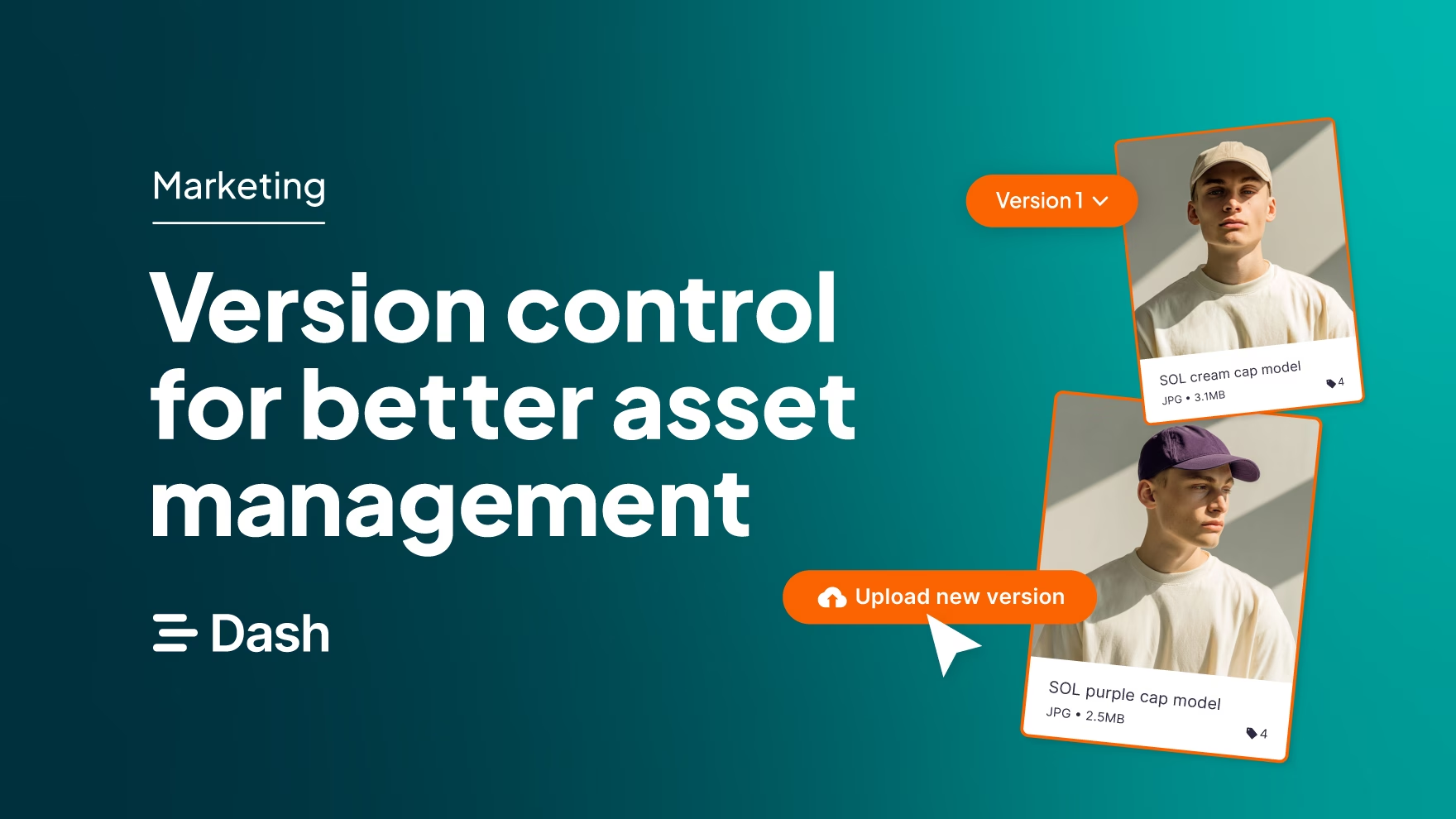
Packaging changes frequently in ecommerce. A design gets refreshed, a marketing claim is updated, a new certification mark or flavour variant is added. When this happens, product photos need to be reshot so they match the latest packaging.
Each change may seem small, but together they create a common problem: teams are not always sure which version of an asset is the right one to use. Of course, this applies beyond packaging too. Anytime logos, brand guidelines and other creative assets are refreshed, you end up with multiple versions of a very similar file.
For ecommerce brands, that uncertainty can show up in public. An outdated pack shot might appear on a product page, a marketplace listing might use an old design or a retailer might receive a file that no longer reflects the product being sold.
That’s why you need to be on top of your version control.
What is version control in DAM?
First, it's worth noting that version control shouldn’t sit in isolation. Yes, you could track changes in a spreadsheet, or store multiple files named 'final_final_V2' in a Google Drive folder. But for a fast-growing brand, that quickly becomes unmanageable.
That's why version control is best understood as a feature of a wider digital asset management (DAM) system. A DAM is a centralised platform where teams store, organise, and share their brand assets — product images, packaging files, logos, campaign creative, and more. Version control is one of its most valuable features.
In practice, DAM version control is a way of keeping track of changes to an image, video, or other asset over time. Instead of creating separate, disconnected files every time something changes, visual versioning keeps past and current versions together in your DAM platform. Teams can see the latest approved version at a glance, while the full history remains accessible if they need to refer back to it.
Scroll down to see how version control works in our DAM, Dash.
What are the benefits of asset version control?
We've already mentioned some benefits of digital asset management version control, but here are all the reasons you should implement it into your workflows:
- A single source of truth: Rather than hunting through folders or asking colleagues which file is current, teams can find the latest approved version in one place within your DAM. Older versions remain accessible for reference, but there's no risk of someone accidentally pulling outdated artwork into a live channel.
- Full visibility into changes: Version control gives teams a clear record of how a specific asset has evolved. Whether it's a packaging redesign, an updated product claim, or a new certification mark, the history is preserved and easy to review directly within the DAM.
- Fewer errors across channels: Product shots, PDP images, marketplace listings, and retailer submissions can live across many different locations. When packaging changes, version control makes it easier to identify which of those assets need updating — before the wrong version goes live.
- Time saved across teams: Designers, ecommerce managers, photographers, and retail teams all benefit from knowing exactly which asset to use. Less time spent chasing files means fewer delays and faster turnaround on updates.
How to use version control in Dash
Our digital asset management solution, Dash, has been built with creative teams in mind. And version control is a key feature for many of our customers.
Here’s how it works in Dash:
[insert Amy or Lea’s feature video]
1. Say you’ve got an updated piece of creative. Maybe it’s a product shot with a new label, or you’re updating your logo. If it’s already in Dash, you can go to that file and expand the asset view.
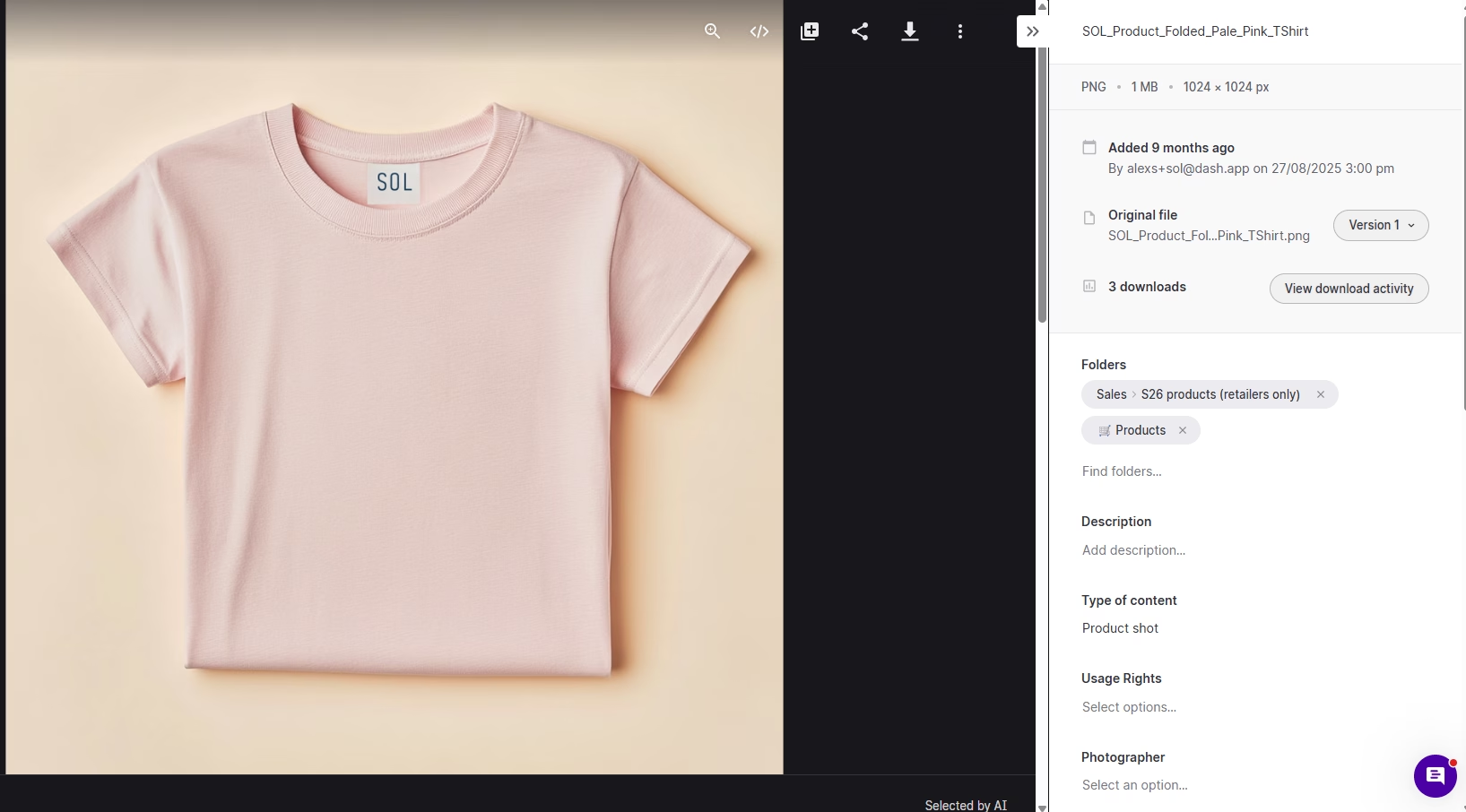
2. Next to the asset, click on the ‘version button’. In this case, ‘version 1.’ From here, hit ‘upload new version’.
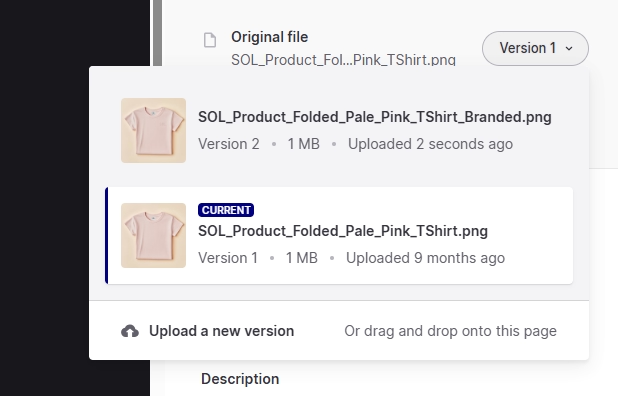
3. Your new version will become the primary asset. And when you open the version history, you’ll see a visual history of your assets.
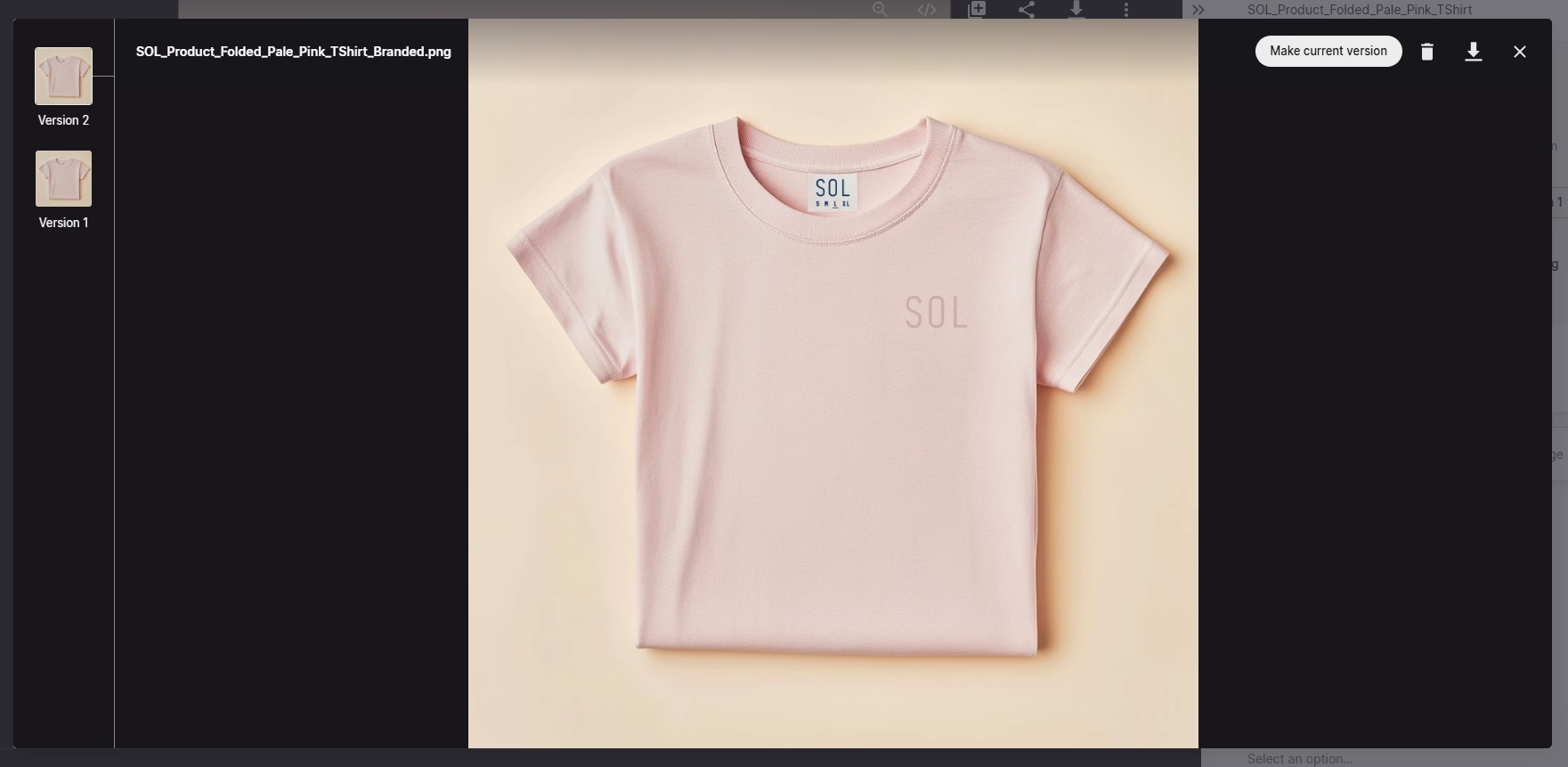
This is what sets a DAM like Dash apart from tools like Google Drive, where version history exists but isn't visual. In Dash, you're not squinting at file names or timestamps — you can simply see the difference.
4. Finally, you can switch back and forth between different versions because Dash keeps a history of your updates. This is something Lily at Beavertown appreciate in the platform:
“The thing I love about Dash is when I upload a new version of one of the assets, and then get feedback about something we need to change, I can just upload the new version and it won’t create a duplicate. You can also see what it was before because, a lot of the time, we might decide to go back to a previous version.”
Note: anyone who’s previously downloaded an asset that now has an update, will be notified by email. And any content that you feed into your public portals, will get automatically updated too.
Get on top of your version control (and more) with Dash
Dash’s version control will help you keep on top of your assets, and ensure everyone has access to the more up-to-date content.
But that’s not all Dash can do.
As a digital asset management tool, Dash is packed with features designed to help you find, manage, share and deploy your visual content. You can:
- Organise assets in a way that works for your team, including tags, fields, filters and folders.
- Use AI search to quickly find a piece of content like ‘man wearing a yellow tshirt’.
- Create branded retailer portals to allow your partners to self-serve assets (pair that with version control, and you can feel confident that retail stores and marketplaces are using the correct versions of your assets)
- Connect to Dash to Shopify to make product launches faster
It doesn’t end there. Dash has loads of ecommerce digital asset management features to help improve your creative workflows.
You can try it for yourself with a 14-day free trial. Or book a demo with our team.

Amy Burchill is the SEO and Content Manager for Dash. She works with ecommerce experts to create articles for DTC brands wanting to improve their campaigns.