
Stockpress promises something appealing: a digital asset management (DAM) platform that’s simple, affordable, and usable. And all without the complexity and cost that usually comes with enterprise platforms.
On the surface, it delivers on a lot of that. But for creative teams, you’ll find that Stockpress is little more than an organisation tool. It doesn’t actually help you use your content as well as other DAMs do.
If you work in a team producing and deploying a high volume of creative, that distinction matters. So it’s no wonder you’re looking for alternatives.
In this guide, we’ll break down:
- What Stockpress does well
- Where it starts to show limits
- Its pricing model (and what’s really included)
- The best Stockpress alternatives
What is Stockpress?
Stockpress is a cloud-based digital asset management platform designed to help teams organise, find, and share digital assets from a single workspace.
It positions itself as being as easy to use and as simple as Google Drive and Dropbox, with some core DAM features.
Those features include AI tagging, metadata, versioning, sharing controls, and integrations with tools like Google Drive and Adobe.
It describes itself as being built for a wide mix of teams: marketing, creative, nonprofits, education, and more. This explains both its flexibility and its limitations.
Stockpress features (and how they hold up)
Stockpress covers most of the expected DAM functionality. Here are the highlights , plus what we found when we actually put them to the test.
[fs-toc-omit] Organisation and search
This is a must-have for any DAM. Stockpress lets you organise with:
- Personalised dashboard: each user can customise their own dashboard to surface the sections most relevant to them.
- Tags and custom fields: assets can be tagged manually or automatically. Custom fields exist, but they're limited to three types—short text, long text, and a link field—and they're only available on the Pro and Premium plans. Anything more nuanced (dropdowns, checklists, expiry dates) has to be handled through tags.
- Smart collections and saved searches: rather than manually curating folders, you define the rules and Stockpress populates them automatically based on tags and search terms. Collections double up as the main way of organising your library, and the collection builder — which lets you build a collection while scrolling the main library — is a nice touch.
- AI tagging: Stockpress can auto-tag images based on what's in them, and you can even choose which language the auto-tags are generated in.
One important thing to know, though: Stockpress doesn't have AI-powered search. Search relies on tags, and in our testing it wasn't always reliable. Natural-language searches like "woman in purple dress" often didn't surface the right assets unless someone had tagged them just so.
[fs-toc-omit] AI tagging and facial recognition
Stockpress includes AI-powered tagging and facial recognition, which helps surface images based on what's actually in them, not just what someone remembered to label.
This is one of the more useful features on offer, particularly if your team works with a lot of people-focused content or manages a large image library where manual tagging just isn't realistic. Just remember that tags are doing all the heavy lifting for search, there's no visual or natural-language search layer on top.
[fs-toc-omit] Collaboration and sharing
When it comes to sharing and collaboration, Stockpress gives you:
- Version history and file statuses: you can see who uploaded the newest version of a file, though teammates will only be notified about new versions if they've toggled that notification on in their settings.
- Comments and annotations: leave feedback directly on assets rather than chasing people over email.
- Share links: the only way to share externally is via links to files or collections . There are no portals for external teams. You can restrict which file sizes are downloadable per link, which is handy, but customising links requires a Pro or Premium plan.
[fs-toc-omit] Image editor and Editions
This is one of Stockpress's more interesting features. Its built-in image editor lets you make edits without leaving the platform, and the 'Editions' feature lets you start with one master product image and create multiple connected deliverables from it. For example, you need a 4000x4000 master, a Pinterest vertical, a banner crop, and a transparent PNG, all linked back to the original asset.
For product-heavy teams, that's a genuinely useful idea. Where it falls down is the everyday resize-and-download workflow. There's no way to crop and download multiple assets to preset sizes in one go.
[fs-toc-omit] Video and documents
Video support is fairly basic. You have to click into a video to view it (no hover-to-preview in the library), and there's no way to resize or trim video inside Stockpress. AI tagging and transcription for video are only available on the Pro plan and above.
Document handling is similar: you can preview the first page of a PowerPoint and preview Excel files, but you can't edit PDFs, and text extraction from documents is only available on the top two tiers.
[fs-toc-omit] Integrations and ecosystem
Stockpress integrates with tools like:
- Google Drive, Dropbox, Box
- Adobe Creative Cloud
- Some marketing tools (e.g. email platforms)
For some teams, that's plenty. But if you're running ecommerce workflows or need your DAM to slot into a wider marketing stack, you'll likely start to feel the gaps. There's no native Shopify or WooCommerce integration, and automation or content distribution workflows aren't really catered for.
[fs-toc-omit] A note on the trial experience
One quirk worth flagging if you're planning to test Stockpress: many features are switched off by default and have to be manually toggled on in the admin settings before you can use them. We had to enable text extraction in admin settings before the feature would work at all, and at first assumed it simply wasn't included in the trial. It makes evaluating the product harder than it should be, so budget some time for digging through settings.
How Stockpress DAM pricing actually works
At a glance, this is one of Stockpress's biggest selling points. But it's also where things require a closer look.
Stockpress offers different tier options. It has a free plan with very limited storage (3GB), and then tiered paid plans starting from $99 a month.
But it's worth looking more closely before you commit.
A fair few features you'd consider standard are locked behind the pricier Pro and Premium plans. Based on our research:
- Custom fields — Pro and Premium only
- Text extraction — top two tiers only
- Duplicate file detection — Pro and Premium only
- Share link customisation — Pro and Premium only
- Video AI tagging and transcription — Pro and above
- Metadata export — Premium only
- File migration and onboarding support — Premium only
- Even the bin follows the pricing tiers: deleted files can be restored within 3 days on the Free plan, 10 days on Essentials, 30 days on Pro, and 60 days on Premium.
Depending on your storage needs, the Pro and Premium plans can run anywhere from $145 to $1,900 a month.
So yes, entry DAM pricing is relatively low compared to traditional DAM tools and feels pretty generous. And that's a big reason it appeals to smaller teams. But in practice, you may find you need to upgrade your plan in order to access features that go beyond the basic shared drive functionality.
The takeaway: Stockpress is competitively priced, especially compared to enterprise DAMs like Bynder and Brandfolder. But it's not an "everything included" kind of tool. You'll need to evaluate plans carefully to understand what you're actually getting.
Stockpress pros and cons
Now you’ve had a look at Stockpress’s features and pricing, let’s dig into the pros and cons of the software. These are the real benefits and drawbacks it’s going to bring to your team and business.
[fs-toc-omit] Stockpress pros
1. It’s easy to use
Ease of use is the most consistent theme in reviews. Teams find it intuitive, fast to set up, and easier than traditional DAM systems. There's no lengthy onboarding process or dedicated DAM admin required — most teams are up and running within a day. If you've previously been put off DAM tools by their complexity, Stockpress is a genuinely refreshing change.
2. It’s accessible from a pricing perspective
The free plan and low entry pricing make it an easy starting point, particularly for smaller teams who want to try DAM without a big financial commitment. Unlike enterprise tools that often require a lengthy sales process just to get a quote, Stockpress lets you get started on your own terms.
3. It covers most DAM fundamentals
AI tagging, versioning, sharing, metadata — all the core pieces are there. For teams that primarily need a central place to store, find, and share assets, Stockpress does a solid job of covering the basics without overcomplicating things. If your needs are straightforward, you probably won't feel like you're missing much.
4. Unlimited users on every plan
Unlike a lot of SaaS tools, Stockpress doesn't charge per seat. That means you can invite your whole team — plus any external partners or freelancers — without watching your costs creep up every time you add someone new.
[fs-toc-omit] Stockpress cons
1. It’s broad, not deeply specialised
Stockpress is built for many different industries and personas — from marketing teams to nonprofits to education. That flexibility is part of its appeal, but it's also a limitation. When a product is built for everyone, the depth of specific workflows tends to suffer. If your team has particular needs around ecommerce, content distribution, or campaign management, you'll likely find that Stockpress doesn't go quite far enough.
2. It leans more toward organisation than execution
Stockpress is good at helping you store and find assets. But a DAM shouldn't just be a tidy cupboard, it should help you actually use what's inside it. You can resize a file on download, but you can't choose a crop area without opening the image editor and working one asset at a time. There's no video trimming or resizing, no PDF editing, and no way to push assets straight into ecommerce or social channels. It gets you organised, but it doesn't necessarily get you moving.
3. Feature access depends on plan tier
What looks like a rich feature set on the surface becomes fragmented once you dig into the pricing. Custom fields, text extraction, duplicate detection, metadata export, migration support and more all sit on higher plans. The entry price looks generous, but it's worth doing a careful audit of exactly what you need before signing up, to avoid finding yourself needing to upgrade sooner than expected.
4. No real approval workflow
Guest uploaders can add anything directly to your account. There are ‘Pending Approval’ and ‘Approved’ file statuses, but no admin gate that actually controls what makes it into your library. For brands that care about keeping their library clean and on-brand, that might become an issue.
5. Some friction in day-to-day admin
Features have to be manually toggled on in admin settings before anyone can use them, which makes both the trial and everyday setup more confusing than it needs to be.
Best Stockpress alternatives
Stockpress is a solid choice for asset organisation, but if you want a tool that’s going to help you deploy and get the most out of your creative content, it might be time to look for an alternative. Here are some top picks.
1. Dash: best for ambitious creative teams
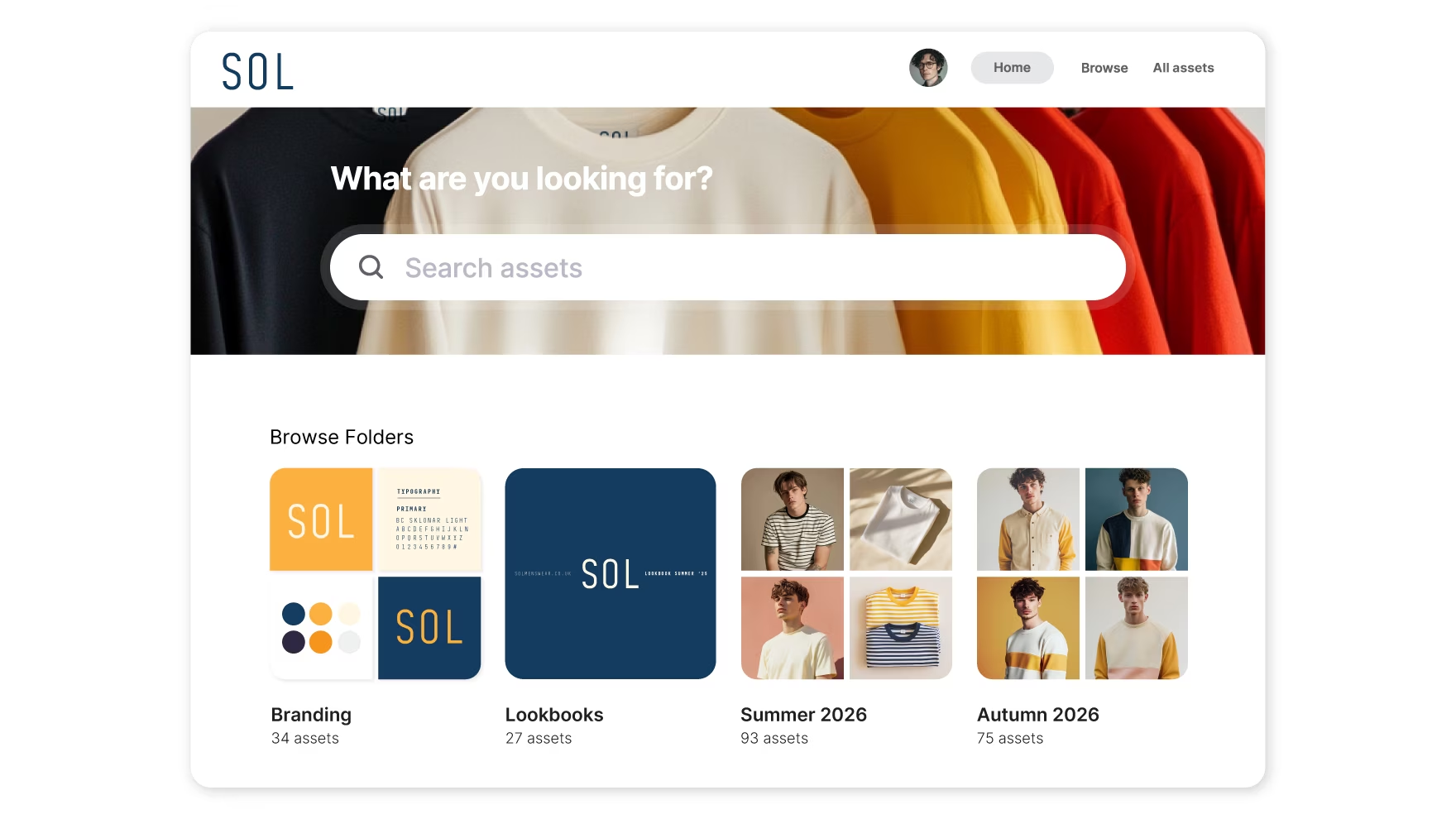
Read our full, indepth comparison of Dash vs Stockpress
{{stockpress-comparison="/blog-components"}}
Dash is built for teams that produce and use a high volume of creative, particularly in ecommerce, but not limited to it.
The key difference is focus.
Both tools are genuinely good at helping you organise your assets. But where Stockpress stops at organisation, Dash is designed around what happens next — how assets actually get used once they're in the system:
- Resizing for channels
- Distributing to partners
- Managing campaign assets
- Supporting fast-moving marketing workflows
- A clean interface that puts your assets front and centre
That distinction matters more than it might sound. A well-organised library is only useful if your team can actually move assets from it quickly. Dash is built with that second step in mind — so you're not just finding the right file, you're getting it where it needs to go without unnecessary back-and-forth.
It's especially strong for brands that:
- Launch campaigns frequently
- Work with external partners or retailers
- Need assets live across multiple channels quickly
- Want to reduce the number of "can you send me that logo?" requests
For ecommerce teams in particular, Dash's native Shopify and WooCommerce integrations mean you can update product imagery across hundreds of SKUs without the usual manual legwork. That's the kind of workflow Stockpress simply isn't built for.
Dash also avoids tier-based feature gating. Everything, including all integrations and the API, is available from day one. Rather than charging more for features, pricing scales with usage: how much storage you need and how many downloads you're making. For growing teams, that's a much more predictable way to budget.
Pricing: Dash starts at £79/$109 per month and includes all features and unlimited users. You’ll only need to upgrade when you increase storage capacity or the number of downloads you’re doing.
2. Air: best for creative production
Air is less of a traditional DAM and more of a creative workspace. It's built around the process of producing creative, not just managing it once it's done. It’s a good fit for teams focusing on:
- Visual collaboration and feedback
- Moodboarding and creative direction
- Review and approval workflows
Pricing: Air uses a credit-based model covering storage, AI features, and more. There's a free plan to get started, with paid tiers scaling up from there. Worth noting: credits don't roll over each month, which can make costs harder to predict if your content output varies.
You can learn more in our Air DAM alternatives article.
3. Brandfolder: best for large, structured organisations
Brandfolder is designed for enterprise teams that need:
- Strict governance
- Detailed permissions
- Large-scale asset management
It’s powerful, but that power comes with complexity.
For smaller or mid-sized teams, Brandfolder can feel heavy, both in terms of implementation and cost. It’s often better suited to organisations with dedicated DAM managers and structured processes.
Pricing: Brandfolder doesn't advertise its pricing, but our research shows you’re looking at around $1600 a month at a minimum.
You can learn more in our article that covers Brandfolder alternatives.
4. Canto: best for traditional DAM setups
Canto sits somewhere between mid-market and enterprise DAM. It covers the core DAM bases well — metadata-driven search, version control, user permissions, and integrations with tools like Adobe Creative Cloud. But it follows a more traditional model:
- Folder-based organisation
- Structured workflows
- Less emphasis on modern UX
Customer reviews consistently flag the interface as clunky and harder to navigate than newer tools, particularly for people who don't use it every day. There's also a noticeable learning curve before your team is fully up and running.
Pricing: Canto isn't transparent on pricing and you'll need to speak to their team to get a quote. Third-party sources suggest it costs around $600 a month, which puts it firmly in the mid-to-enterprise range.
Learn more in our Canto alternatives article.
5. Frontify: best for brand governance
Frontify is a brand management tool first, with DAM functionality bolted on. It's strong for:
- Brand guidelines
- Design systems
- Maintaining consistency
For brand managers who need to control how a brand looks and feels across teams and agencies, it can be a solid investment. But its DAM features feel like an afterthought — search isn't always reliable, folder permissions are complex, and there's no straightforward way to create shareable asset links.
Pricing: Frontify doesn't publish costs publicly. Reviews suggest it's on the expensive side, with pricing based on monthly active users, making it harder to predict costs as your team grows.
Stockpress alternatives: Which DAM is best for your team?
If you're looking for a simple DAM at a lower entry price, Stockpress is a solid choice. It's easy to use, covers the core DAM bases, and won't overwhelm smaller teams who just need a better way to store and find their files.
But once you move beyond basic organisation and start thinking about speed, output, and getting content live across channels , the limitations start to show. Features you'd consider fairly standard get locked behind higher plans, the integrations don't stretch far enough for most marketing stacks, and there's no real support for the kind of workflows that fast-moving creative teams rely on day-to-day.
That's where Dash comes into its own. It's built around the bit that matters most: helping your team actually use the content you've worked hard to create. Every feature is available from day one, pricing scales with how much you use it rather than what you need access to, and it's designed to fit inside the tools your team is already using.
If that sounds like what you need, start a free 14-day trial or book a demo with the team — no credit card required. ✨

Barney is the Marketing Lead for Dash. He writes about small business marketing strategies and how DTC brands can boost sales.